Instructables builds
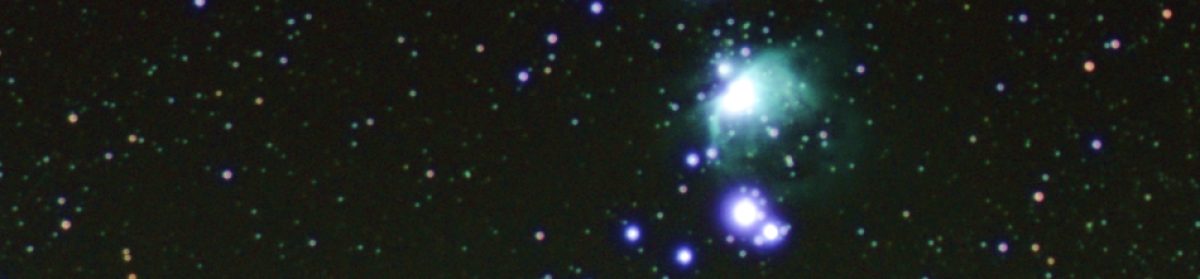
There are 5 ‘I made this’ posts on Instructables now for pi-lomar, and a few other builders have been in contact with questions and suggestions over the last two months. I’m really looking forward to seeing what people manage to do with the telescope and get some feedback and improvement ideas.
GitHub for pi-lomar updated
The January issues branch in GitHub became quite a monster, there is a list of all the changes available here. I’ll cover a few of the interesting items here.
UART communication problems
A few people have had problems getting the communication to work between the RPi and the Tiny2040. This has been due to a few different issues, but it became clear that more help was needed to identify where the problems are when communication doesn’t work. If something is wrong in the communication chain you might get an error message, or you might simply get a ‘dead telescope’ which refuses to move. So I’ve added features to detect and complain more clearly if something is wrong, and also a way to monitor and test the communication in realtime.
Software versions
The original build required very specific versions of CircuitPython and the Raspberry Pi O/S. I’ve addressed a few of the limitations now so you can use the most recent copies of both. I’ve now got a telescope running happily with Bookworm 64bit on an RPi4 and CircuitPython 8.2 on the microcontroller. This means you can use whatever the current version is – you don’t have to go looking for archived copies anymore. The released version does not work on the RPi5 yet – I’m going to rework the camera handling for that beast first.
Motor configurations
The original design was heavily dependent upon specific stepper motor designs. This was quite restricting for some because they are not always easy or cheap to source. The new software has moved the motor and gearing configuration into the parameter file instead of being hardcoded. So now it is simpler to set up alternative motors AND you can still take updates to the software without having to repeat your own hardcoding changes.
Removing the infrared filter
In the last blog I mentioned that I had removed the infrared cutoff filter from one of the camera sensors. I had to wait a while for a clear enough night, but eventually grabbed a few shots of the region around the Orion Nebula. It was not a great observing night, there was considerable haze and some random cloud, but I got a few images.
I am happy to confirm that it really made a difference though. New objects appeared and previously faint objects are clearly enhanced by expanding the vision of the sensor.
After stacking and some enhancement in The GIMP, this is the region with the new infrared capability. I was not able to remove ALL the haze, but if you are patient you can reduce it considerably.
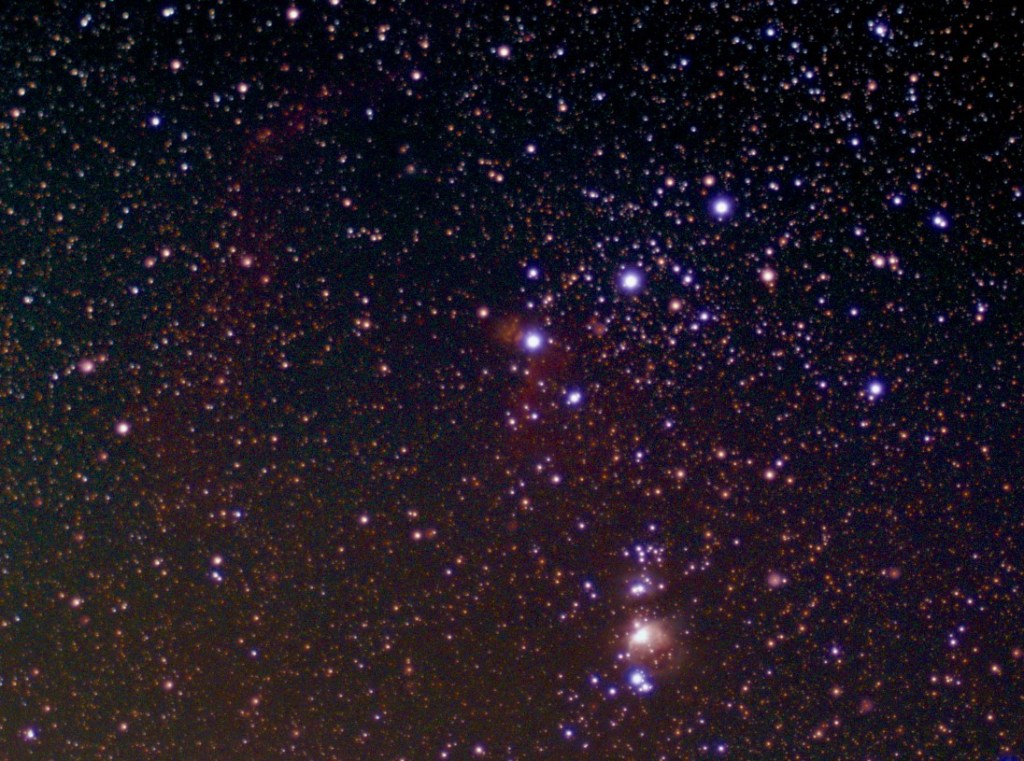
For clarity I’ve marked the major items that are now visible below.
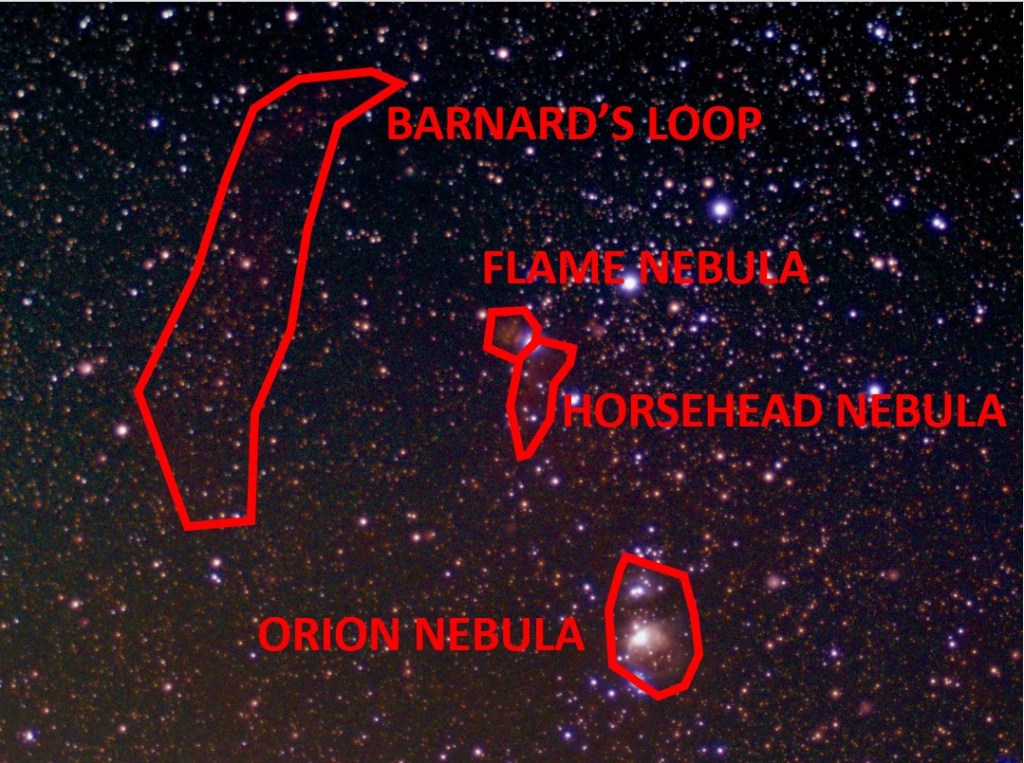
There is clearly a colour tint still to these images which I need to play with some more, but there are definitely new details here.
Orion Nebula
There seems to be a larger area of nebula visible in this image. The colour variation is not as good as earlier images but I think that’s something I can still work on.
Flame Nebula
This was faintly visible before the infrared cutoff filter was removed, but it seems to be more clear now. Hopefully when I can gather more images to stack I can pull more clarity from that still.
Horsehead Nebula
With the infrared filter in place you could see a very faint hint of the Horsehead Nebula surroundings, but they were very subtle. You had to know there was something there and then play with image enhancement to get even a slight hint of it. But it is now more clear.
Barnard’s Loop
Orion is surrounded by a large ‘infrared only’ area of gas. I’ve never seen this before in any observations I’ve made, but suddenly it’s there. Barnard’s Loop is to the left of the belt, and although faint, there’s no doubt it’s now detected. The gas cloud extends lower down around Orion too, but in this shot it’s hard to separate urban haze from actual gas cloud.
Urban Haze
This brings me to by current problems, urban haze. There is light pollution and generally poor quality atmosphere around here. I’m not living in a big city but the conditions are visibly deteriorating as time goes by.
The IR image above is taken with the 16mm lens, I have now removed the IR cutoff filter from the 2nd telescope with the 50mm lens too. That also has a light pollution filter added. The brief chance I’ve had to test it suggests that it does indeed make a difference to the haze that’s creeping into all the shots. The question is- does it also reduce the infrared wavelengths too? The next clear moonless night may answer that.
There’s another place where haze becomes an issue. That’s in the drift tracking mechanism of the telescope. Pi-lomar checks its position by taking a live image and comparing it with a calculated image of the sky. It uses the difference between star locations to correct the position of the camera. It’s not perfect, but it works well enough for the images to be stackable. But if there is strong haze in the sky the Astroalign package can struggle to recognise and match stars between the images. You can get a cloud of false stars at the bottom of an image which confuses things.
To work around that I use OpenCV to try to enhance the stars in the live tracking image. Basically trying to reduce noise and enhance just the real stars. This requires tuning some OpenCV filter functions to work nicely with MY particular observing conditions. That’s a problem for people in other locations, they may need to tune the filter functions differently.
So I’ve modified the software to make these OpenCV filter functions into ‘scripts’. You nolonger have to play with hardcoded function calls in the software, you can simply edit the scripts and test them rapidly against your conditions. I hope this is a good benefit for people. I will probably refine the configuration and testing further in future versions. This is clearly an area where a graphical interface would help. An early test of this new feature looks promising when trying to filter out tree branches from someone’s live tracking images. It looks like we can still pull stars out of quite busy and noisy shots.
Next steps
I am not intending to develop the software further now until the summer. The latest update needs to be taken into use and tested in more environments, so I want to limit any new changes to bug fixes or tuning related to that. Spring is approaching, it’s better to spend time observing!

 Short Bus Blog