July 2024 update

Instructables builds

There are now 9 builds listed on the Instructables website, I’ve also had contact from other builders, I guess there are around 20 telescope builds out there. So there’s a small – but amazing – community forming for the telescope now. To create a sort of support group for the project I’ve created a Discord group for people who are building or running a copy of the telescope.

PM me via the Instructables project page for a link if you would like to join.

GitHub for pi-lomar updated

A large number of changes to the package are in the latest release just published on GitHub. There is a list of the changes, and some hints about upgrade options here.

The most significant changes in the new release are

Now runs on Raspberry Pi 5.

The GPIO handling is different on the RPi5, so I had to redevelop and retest the GPIO code to work there. This reinforces the advantages of switching to Bookworm 64bit O/S. The RPi4 and RPi5 both run pilomar happily on Bookworm now. Support for the RPi3B with the old ‘Buster’ build remains, but it cannot support some of the new features in this latest release. If you want to upgrade to the latest version I now strongly recommend a RPi4B or RPi5 as the main computer now.

FITS image handling.

With support from a few people in this project, and also from Arnaud and the Astrowl box project there’s now a way to save .fits format image files. FITS file formats are required by some astro image processing software. The raspistill and libcamera-still utilities will save raw images in .DNG format, but that is not accepted by some software. This new FITS format only works on Bookworm builds because it requires the picamera2 package to be available. You may be able to get this installed on earlier O/S versions, but I think it will need some tinkering. The FITS handling has been done by creating a new standalone Python routine (src/pilomarfits.py) which can be called just like the ‘libcamera-still’ command, but which generates .JPG and .FITS files instead. This is likely to improve further in the future, it’s just an initial attempt to add FITS format.

Smoother motor movement.

A whole bunch of ideas came from other builders, it became clear that microstepping is easy and safe to activate for most people. Microstepping makes movement slower, but smoother and quieter. It required some rethinking of the code on the microcontroller because microstepping generates a lot more motor pulses, a limitation with the clock in CircuitPython became apparent but is now resolved. There is also a ‘slew’ mode available in the latest package. This lets the telescope perform LARGE moves using full steps on the motor – noisy by fast. Then when it starts capturing the observation images it switches to microstepping.
Better microstepping support also means that you can build using the 200step stepper motors now. These are generally easier and cheaper to buy.

Easier configuration changes.

Pi-lomar’s configuration is generally held in the parameter file. You can make a lot of changes to the behaviour there. This latest release has moved even more of the configuration into this one file. However some changes can be quite complex to configure correctly. Therefore the latest software has added a few options to perform some common configuration changes directly from the menus. This ensures more consistent and reliable setup for a few camera options and also for configuring several of the microstepping related issues.

Aurora features.

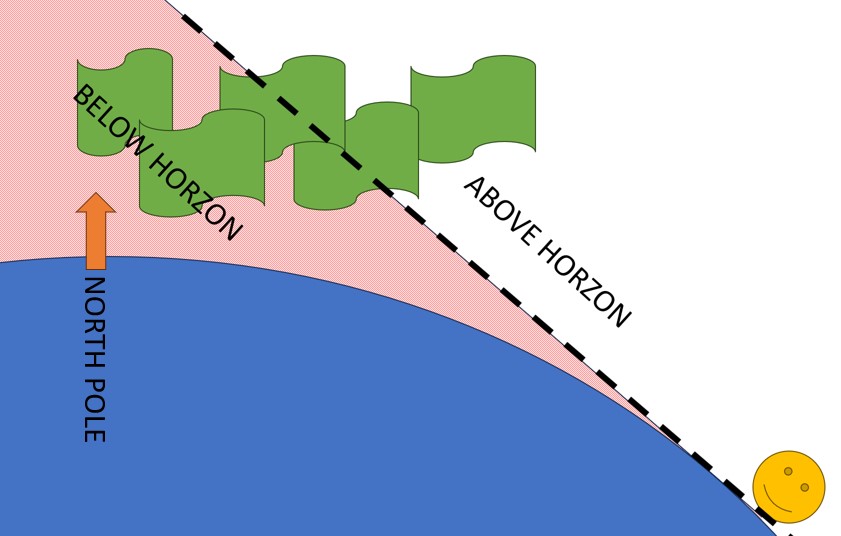
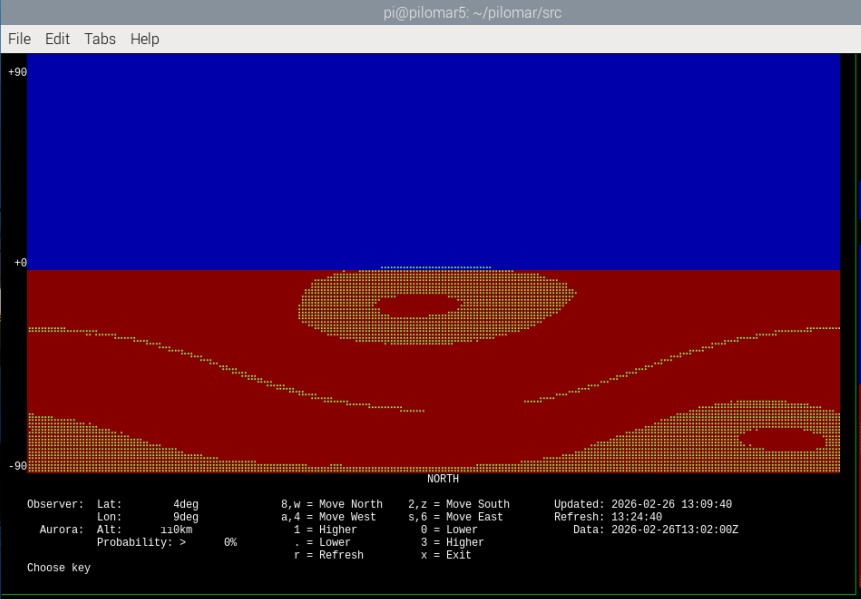
After the spectacular Aurora displays earlier in the spring, I’ve added some experimental Aurora recording features to the software too. Obviously we now have to wait for some good Aurora displays to fully test this feature, but the basic concept seems to work OK. In Aurora mode the camera points to a likely direction for the Aurora and captures images as quickly as possible. It can also generate a simple KEOGRAPH of the aurora display which may be interesting to study sometimes.

Observations

Well, summer is here now, and the skies are too light, too short and sadly still too cloudy. So no practical observations of anything new to show this time. All the project work has gone into this latest software development round instead.
So I’m now looking forward to slightly longer and darker nights coming in August and September, and hoping that the clouds go away.

What’s next?

I’m currently exploring some modifications to the telescope design.

Now that the RPi5 is supported – it has TWO camera ports! So I would like to explore the idea of having two cameras mounted in the telescope. Ideally a 16mm lens dedicated to tracking, and then a 50mm higher quality lens dedicated to observation pictures. There is also some feedback from other builders which is re-opening the design of the camera tower and camera
cradle. I’m currently thinking to make a slightly wider camera tower to accommodate 2 cameras, and probably reorienting the sensors into portrait mode to improve access for focusing. It may make sense to improve the weatherproofing around the camera boards – as others have already done.

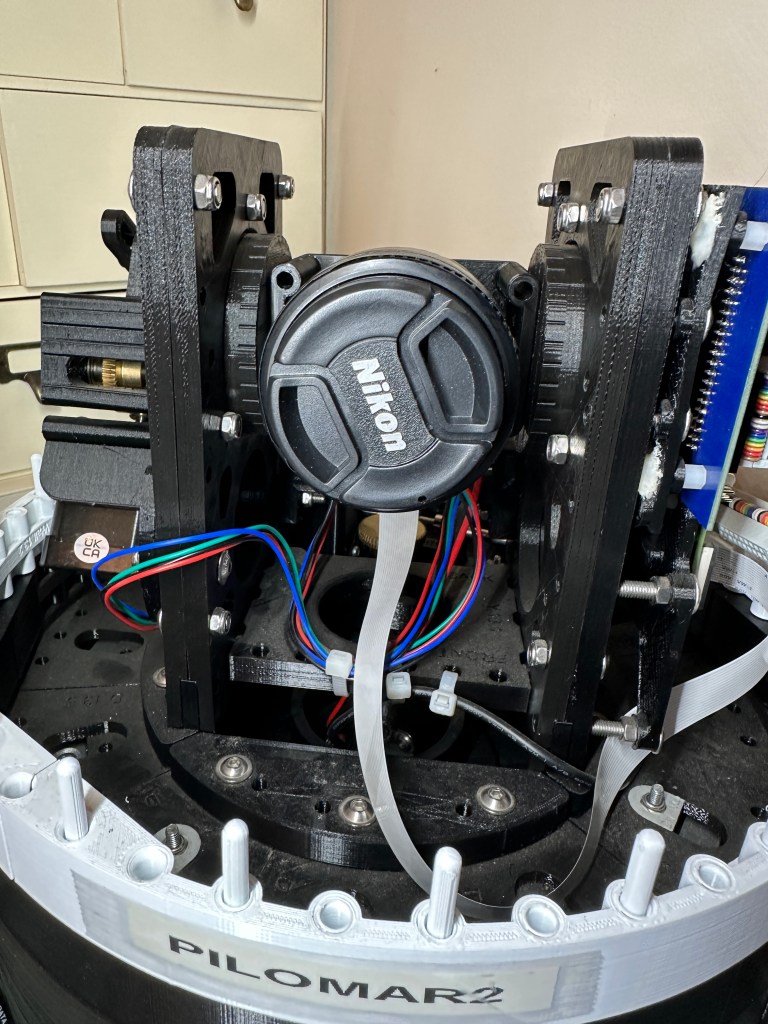
After a chat in the Discord group I’m also looking at adding a permanent ‘lens cap’ to the camera tower. This would sit below the horizontal position of the camera, so that the lens can be parked up against it when not in use. There are a
couple of advantages to this idea. (1) You don’t have to remember to remove or reinstall the lens cap. (2) If the cap is sufficiently dark the camera can take the ‘dark’ control images automatically at the end of each observation.

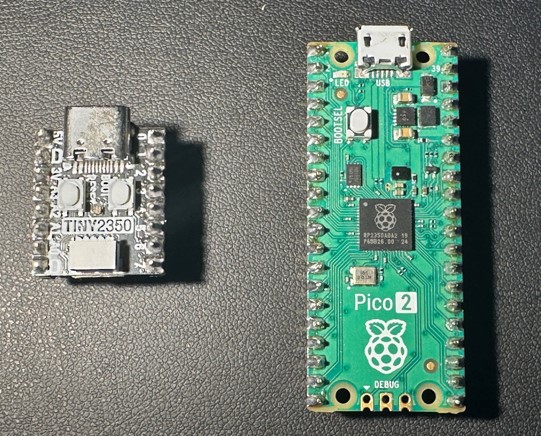
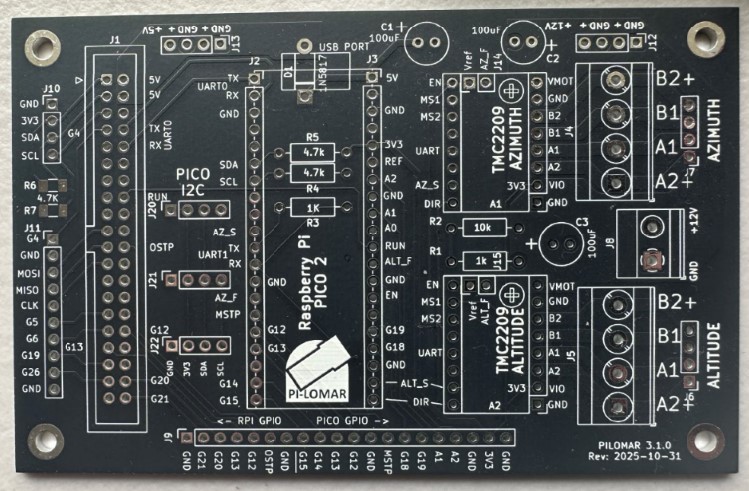
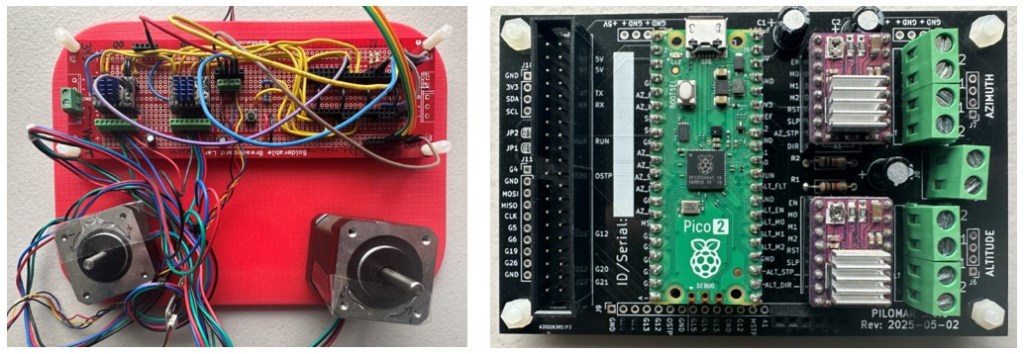
I have a redesign of the motorcontroller PCB nearly ready, with improved power performance for the microcontroller. There will probably be another couple of improvements made to it, and then I’ll try getting some samples printed up. I considered switching from the Tiny2040 microcontroller to something larger with more GPIO pins, but have decided to stick with the current setup. There seems to be a practical memory limit on the RP2040 chip in the microcontroller, it has around 200K of working memory available to it, and the current functionality consumes it all. I cannot even get the current code to run on CircuitPython 9.x yet, so it’s still limited to 7.2 and 8.2. It may be worth waiting to see if any 2nd generation microcontroller comes from RPi in the near future before finalising the design.

February 2024 update

Instructables builds

There are 5 ‘I made this’ posts on Instructables now for pi-lomar, and a few other builders have been in contact with questions and suggestions over the last two months. I’m really looking forward to seeing what people manage to do with the telescope and get some feedback and improvement ideas.

GitHub for pi-lomar updated

The January issues branch in GitHub became quite a monster, there is a list of all the changes available here. I’ll cover a few of the interesting items here.

UART communication problems

A few people have had problems getting the communication to work between the RPi and the Tiny2040. This has been due to a few different issues, but it became clear that more help was needed to identify where the problems are when communication doesn’t work. If something is wrong in the communication chain you might get an error message, or you might simply get a ‘dead telescope’ which refuses to move. So I’ve added features to detect and complain more clearly if something is wrong, and also a way to monitor and test the communication in realtime.

Software versions

The original build required very specific versions of CircuitPython and the Raspberry Pi O/S. I’ve addressed a few of the limitations now so you can use the most recent copies of both. I’ve now got a telescope running happily with Bookworm 64bit on an RPi4 and CircuitPython 8.2 on the microcontroller. This means you can use whatever the current version is – you don’t have to go looking for archived copies anymore. The released version does not work on the RPi5 yet – I’m going to rework the camera handling for that beast first.

Motor configurations

The original design was heavily dependent upon specific stepper motor designs. This was quite restricting for some because they are not always easy or cheap to source. The new software has moved the motor and gearing configuration into the parameter file instead of being hardcoded. So now it is simpler to set up alternative motors AND you can still take updates to the software without having to repeat your own hardcoding changes.

Removing the infrared filter

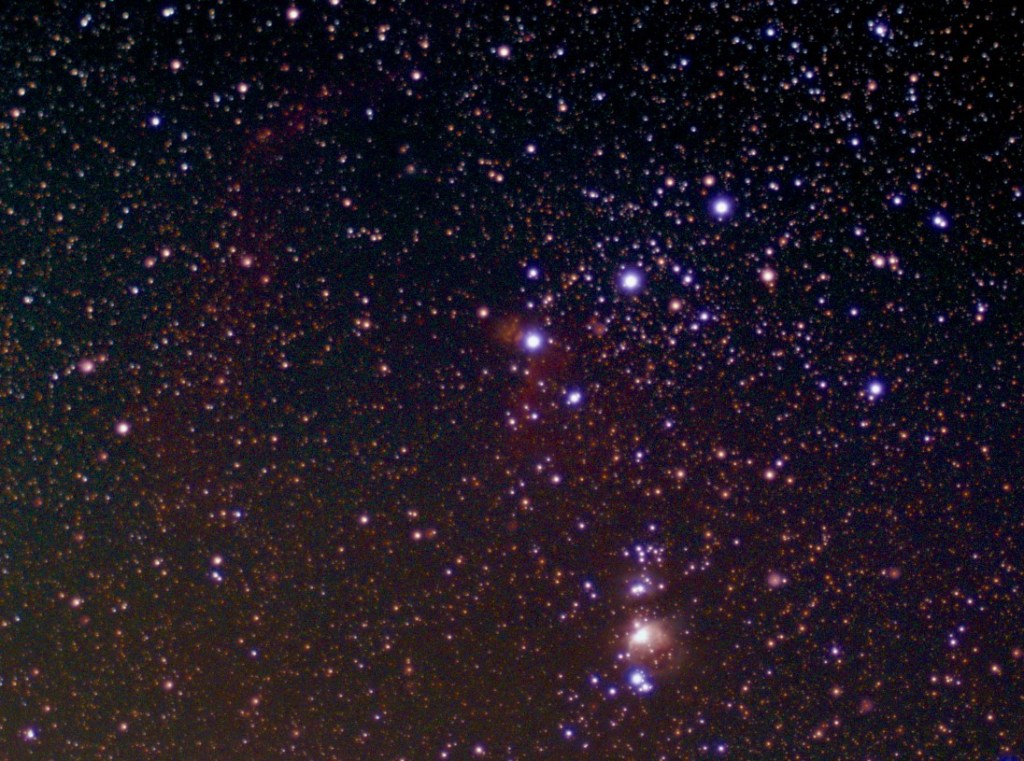
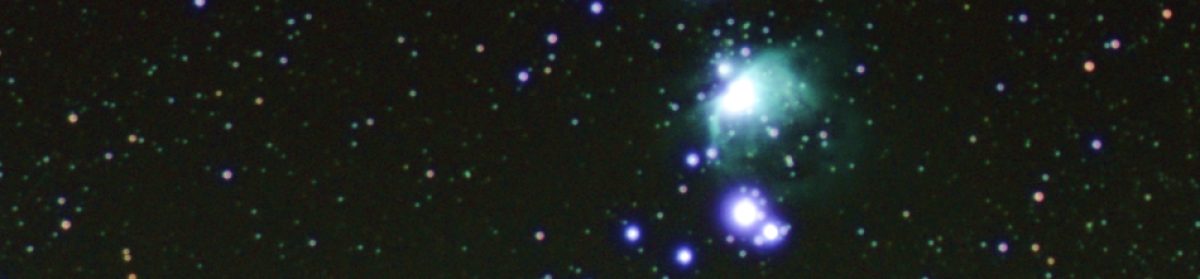
In the last blog I mentioned that I had removed the infrared cutoff filter from one of the camera sensors. I had to wait a while for a clear enough night, but eventually grabbed a few shots of the region around the Orion Nebula. It was not a great observing night, there was considerable haze and some random cloud, but I got a few images.

I am happy to confirm that it really made a difference though. New objects appeared and previously faint objects are clearly enhanced by expanding the vision of the sensor.

After stacking and some enhancement in The GIMP, this is the region with the new infrared capability. I was not able to remove ALL the haze, but if you are patient you can reduce it considerably.

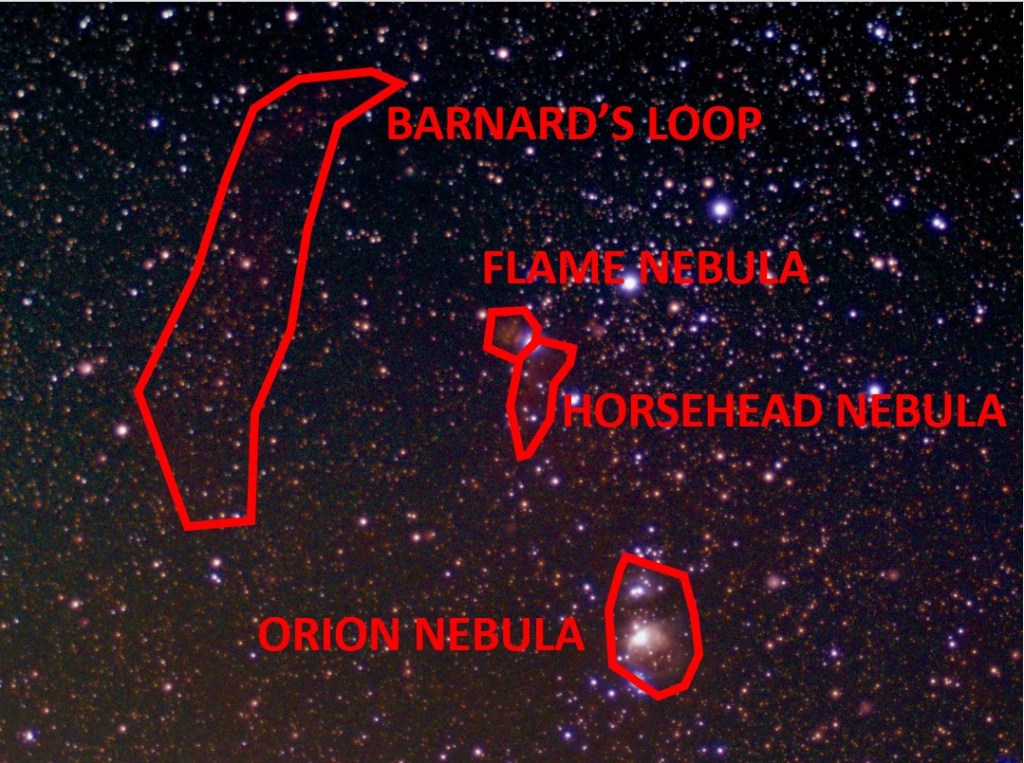
For clarity I’ve marked the major items that are now visible below.

There is clearly a colour tint still to these images which I need to play with some more, but there are definitely new details here.

Orion Nebula

There seems to be a larger area of nebula visible in this image. The colour variation is not as good as earlier images but I think that’s something I can still work on.

Flame Nebula

This was faintly visible before the infrared cutoff filter was removed, but it seems to be more clear now. Hopefully when I can gather more images to stack I can pull more clarity from that still.

Horsehead Nebula

With the infrared filter in place you could see a very faint hint of the Horsehead Nebula surroundings, but they were very subtle. You had to know there was something there and then play with image enhancement to get even a slight hint of it. But it is now more clear.

Barnard’s Loop

Orion is surrounded by a large ‘infrared only’ area of gas. I’ve never seen this before in any observations I’ve made, but suddenly it’s there. Barnard’s Loop is to the left of the belt, and although faint, there’s no doubt it’s now detected. The gas cloud extends lower down around Orion too, but in this shot it’s hard to separate urban haze from actual gas cloud.

Urban Haze

This brings me to by current problems, urban haze. There is light pollution and generally poor quality atmosphere around here. I’m not living in a big city but the conditions are visibly deteriorating as time goes by.

The IR image above is taken with the 16mm lens, I have now removed the IR cutoff filter from the 2nd telescope with the 50mm lens too. That also has a light pollution filter added. The brief chance I’ve had to test it suggests that it does indeed make a difference to the haze that’s creeping into all the shots. The question is- does it also reduce the infrared wavelengths too? The next clear moonless night may answer that.

There’s another place where haze becomes an issue. That’s in the drift tracking mechanism of the telescope. Pi-lomar checks its position by taking a live image and comparing it with a calculated image of the sky. It uses the difference between star locations to correct the position of the camera. It’s not perfect, but it works well enough for the images to be stackable. But if there is strong haze in the sky the Astroalign package can struggle to recognise and match stars between the images. You can get a cloud of false stars at the bottom of an image which confuses things.

To work around that I use OpenCV to try to enhance the stars in the live tracking image. Basically trying to reduce noise and enhance just the real stars. This requires tuning some OpenCV filter functions to work nicely with MY particular observing conditions. That’s a problem for people in other locations, they may need to tune the filter functions differently.

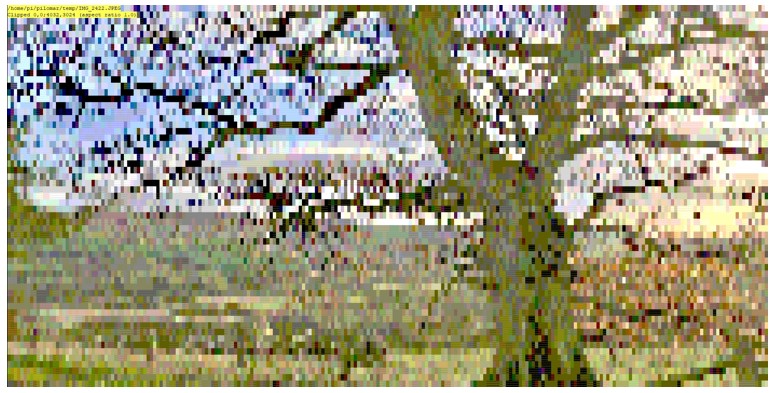
So I’ve modified the software to make these OpenCV filter functions into ‘scripts’. You nolonger have to play with hardcoded function calls in the software, you can simply edit the scripts and test them rapidly against your conditions. I hope this is a good benefit for people. I will probably refine the configuration and testing further in future versions. This is clearly an area where a graphical interface would help. An early test of this new feature looks promising when trying to filter out tree branches from someone’s live tracking images. It looks like we can still pull stars out of quite busy and noisy shots.

Next steps

I am not intending to develop the software further now until the summer. The latest update needs to be taken into use and tested in more environments, so I want to limit any new changes to bug fixes or tuning related to that. Spring is approaching, it’s better to spend time observing!

January 2024 update

Testing Pi-lomar on the Raspberry Pi 5

Will Pi-lomar run on a Raspberry Pi 5?

Spoiler alert! No.

Not yet.

The camera and GPIO libraries have changed, but how close is it to working?

Interestingly more of the required packages that made the RPi 4 Buster build tricky seem to be pre-installed in Bookworm now. I only added opencv, astroalign, pandas and skyfield, and they all installed cleanly, no conflicts or special tricks needed.

sudo apt install python3-skyfield
sudo apt install python3-opencv
sudo apt install python3-astroalign
sudo apt install python3-pandas

The resulting build script will be much simpler I hope. I’m still installing globally rather than creating containers because the RPi will be dedicated to the telescope.

The pilomar.py program of course errored out fairly quickly, but with relatively little change I got it up and running as far as the first menu. That includes all the data loading and formatting that has to happen when you first run the software.

Right out of the box I have to say “wow!“, I’m impressed.

For comparison: The 2GB RPi 4B with the 32bit operating system takes about an hour to calculate the Hipparcos catalogue of 100000+ stars. On an 8GB RPi 5B with 64bit operating system, it ran in 25 seconds, so fast that I thought it had failed, I had to speed up the progress messages to prove it was doing something. From nearly 60 minutes down to 25 seconds! In regular use I’d estimate Pi-lomar runs about twice as fast on the RPi5.

It looks like the basic migration should be straight forward, and there is capacity there for extra features.

Raspberry Pi 5 Active Cooling hint!

The official cooling unit is great – it’s very easy to attach to the RPi5. BUT – you can’t detach it. So, if you’re thinking of later putting it into a case or occasionally reorganize things, be very careful.

For example: I like the Pibow cases, but a couple of design choices clash. If you connect RPi+Cooler first: You cannot fit all the layers of the case.
If you connect RPi+Cooler second: You cannot remove all the layers of the case, and the camera connectors become more difficult to access.

Next time I’ll change the little spring-loaded feet for nylon bolts so the cooler can be removed – that’s the fundamental design flaw to me.


Back to the RPi 4B version

Motorcontroller PCB

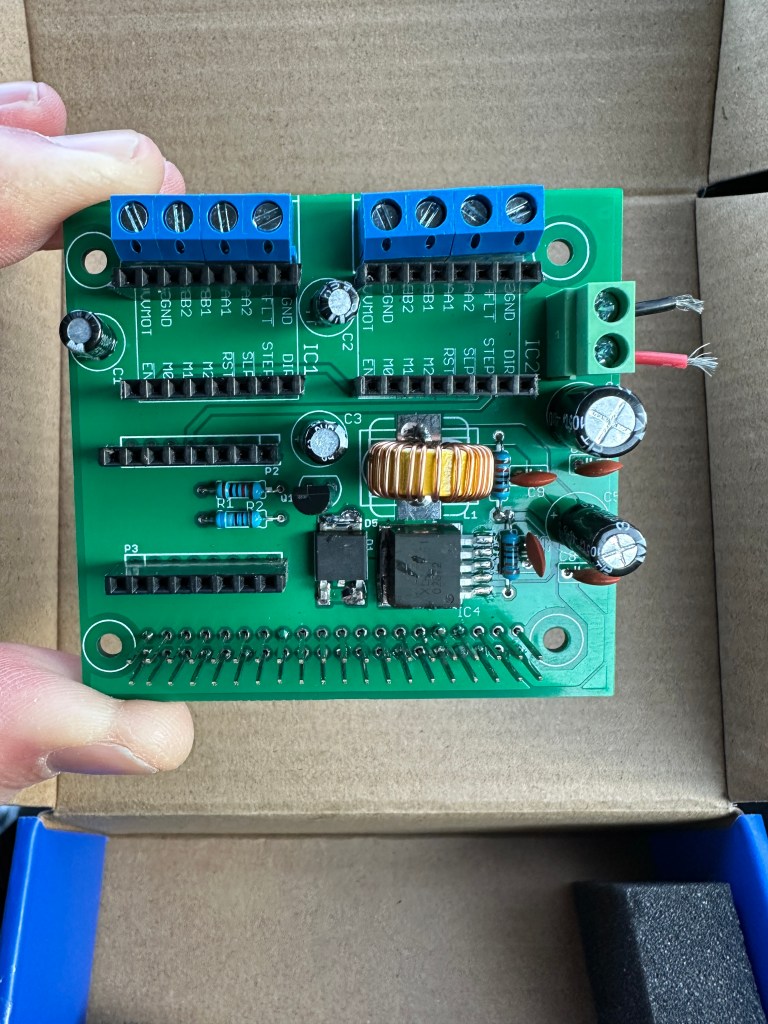
The published PCB as it arrives from a manufacturer. No components, you have to add those yourself.
Unpopulated PCB as received from the manufacturer.

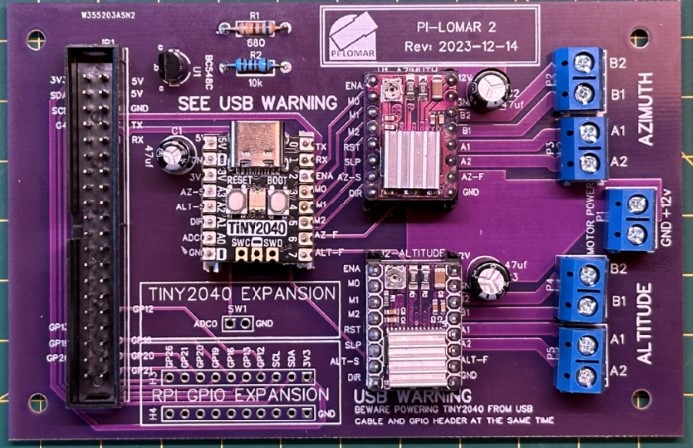
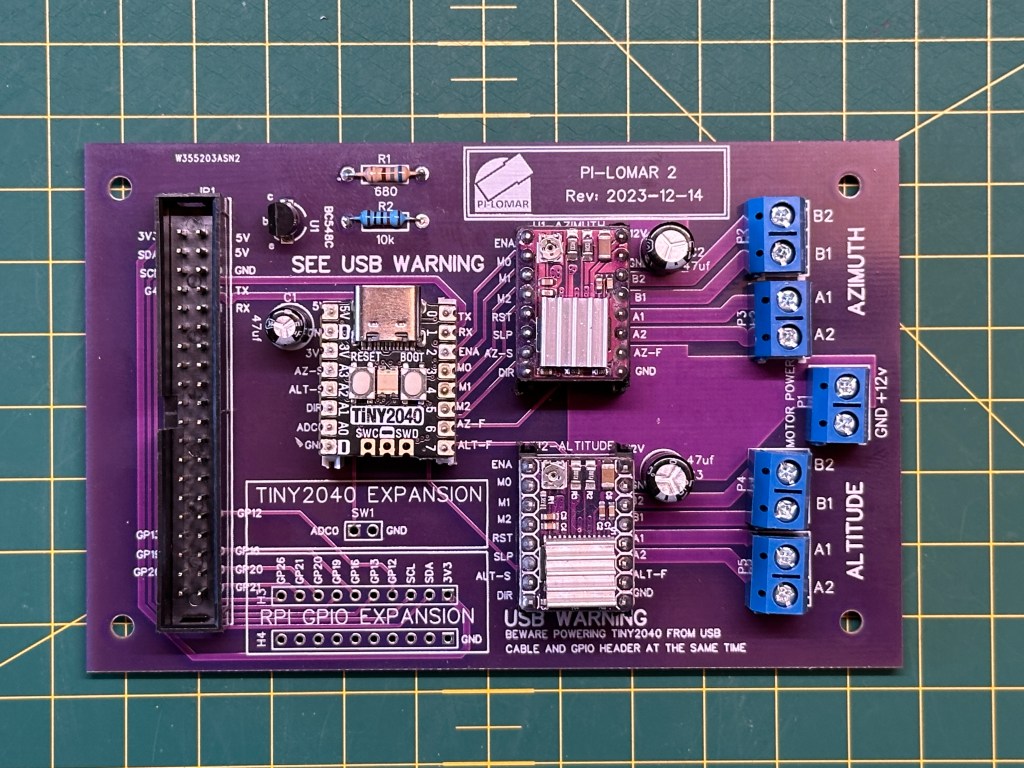
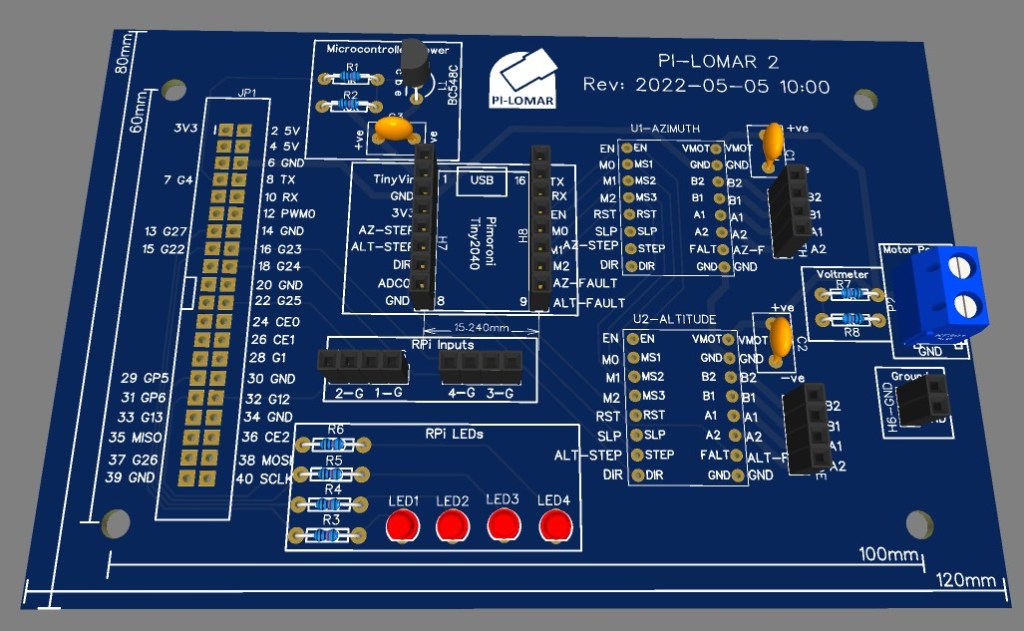
The first PCB design is done and the Gerber files are now in the GitHub project for the PCB. These files can be used to manufacture the PCB. It still needs to have components added, but the wiring is all set in the PCB itself. Many thanks to Dale, Mark, and Ton for their help with the designs so far.

The published PCB has a few improvements on it.

  • Full ground plane on the underside of the PCB.
  • 12V supplies have more copper too.
  • The unused ADC0 pin on the Tiny2040 is now available in the expansion section for your own use.
  • A number of GPIO pins from the RPi header are now exposed in the expansion section.
  • Some development features (LED and motor power measurement) are removed.
  • PCB connector blocks have been standardised.
  • Printed warning to take care when connecting USB and GPIO at the same time.
  • NOTE: On the published Gerber files, the ‘R1’ resistor is marked with a lower value than these images show. Any value from 320 – 680 Ohms seems to work fine. The lower the value, the better the transistor switches.
Published motorcontroller PCB with components populated.
Populated at home with the necessary components.

I have added a new folder to the GitHub project to contain the Gerber files.

https://github.com/Short-bus/pilomar/tree/main/gerber

The files for the PCB are in the /gerber/PCB-2023-12-14 folder on GitHub. You must generate a .zip file from here to use for manufacturing.

cd gerber/PCB-2023-12-14
zip PCB-2023-12-14.zip *

The PCB-2023-12-14.zip file is the one that you should submit for manufacturing.

The file gerber/readme.txt explains more about the manufacturing specifications you will need to provide when placing an order.

A second PCB design is still in testing at the moment, this one eliminates the separate Raspberry Pi power supply. It adds a buck converter onto the board to act as the RPi’s power source. Everything runs from the motor 12V supply.

Software development

At the end of December I released a few improvements to the software, fixing a few issues that the early builders found. I think people should be taking their first images soon, so I’ve done a little more development in January to help tuning the telescope.

The tracking algorithm works for me, but I suspect that it needs finetuning to individual observing conditions. There are some great sounding locations where people are building Pi-lomar at the moment. So I’ve started adding some simple tools to help get the tracking parameters right. The idea is to show the results of the tracking calculation and the related parameters which can impact how it works. (I must explain how the tracking solution works soon)

Getting the telescope working south of the Equator! I am at 50+ degrees North here, out of extreme caution I put a warning on Instructables and in the software that the telescope might not work if you go too far south. But there is interest to make copies in the Southern Hemisphere. So with help from volunteers I’m looking at addressing some minor irritations with how the telescope behaves as you move further south. It looks like Pi-lomar will work already – but with a movement reset while tracking objects through due North. So the January release will accept Southern latitudes for the home location now and just warn you that it’s still under development.

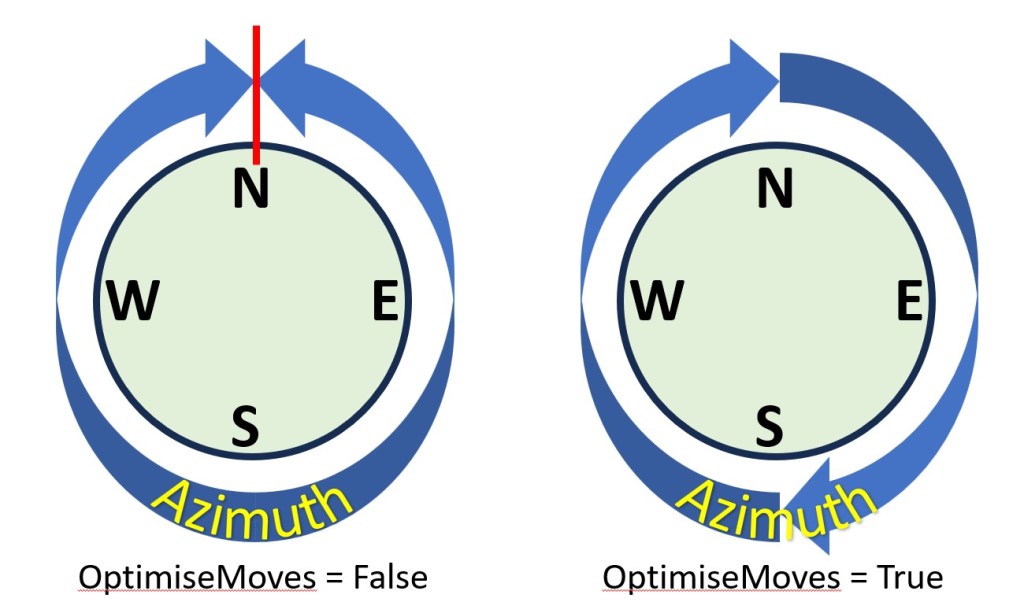
There’s now a parameter “OptimiseMoves” – when you turn that parameter on the telescope will move much more freely through due North which should eliminate some irritations.

Example of the warning message that pilomar.py generates if the OptimiseMoves parameter is enabled.
Screenshot showing the warning if the new OptimiseMoves parameter is enabled. Should make smoother operation when making observations facing north more of the time.
Diagram to explain the motion differences when the OptimiseMoves parameter is used in Pi-lomar.
The effect of the OptimiseMoves parameter. By default the telescope will not pass North (360/0 degrees), it will reverse back to the other side and resume there. Enabling OptimiseMoves allows the telescope to rotate freely past North in either direction.

I’ve opened discussions on the GitHub site for anyone who wants to join in. When the feature is fully developed and proven to work that will become the normal operation everywhere.

The January improvements will be merged back into the main branch in the next few days.

Actual observations

It has been almost constantly cloudy here for months now. And the back yard is turning to mud, even the dog is reluctant to go out there. Really frustrating! I’m SO desperate to get out and get some more images captured. Nights on the east coast seem to come in three flavours…

  1. Too cloudy, calm, no moon.
  2. Clear, too windy, no moon.
  3. Clear, calm, full moon.

I’m hoping that some of the other builders will start capturing soon, maybe people can share those images too.


Hardware developments

Upgrading mk1

I have two completed Pi-lomar telescopes at the moment. After a break from 3D printing, I’m returning to the earlier build to upgrade it. The drive mechanism now feel less smooth than the Instructables version. That’s a relief! All the tweaks I put into the Instructables version made a difference. So I’ll be tearing mk1 down and testing out some further improvements to the drive and telescope tower. I’ll take the opportunity to widen the camera cradle – it will allow more room for higher quality lenses, and also let me test out the idea of an RPi5 with twin cameras later this year.

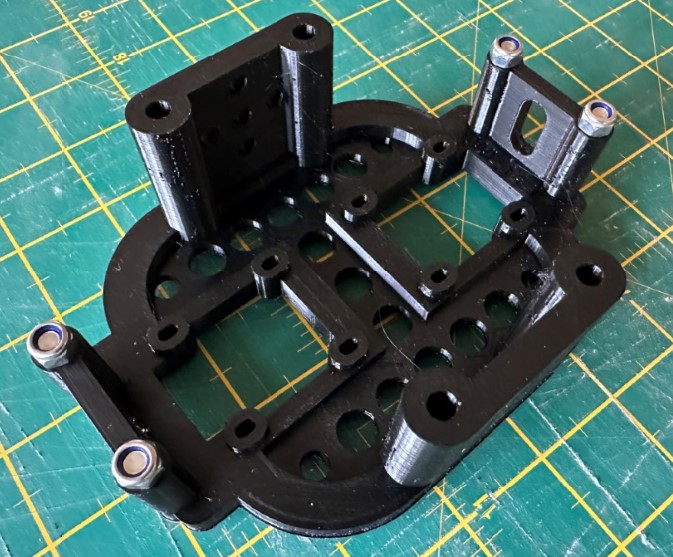
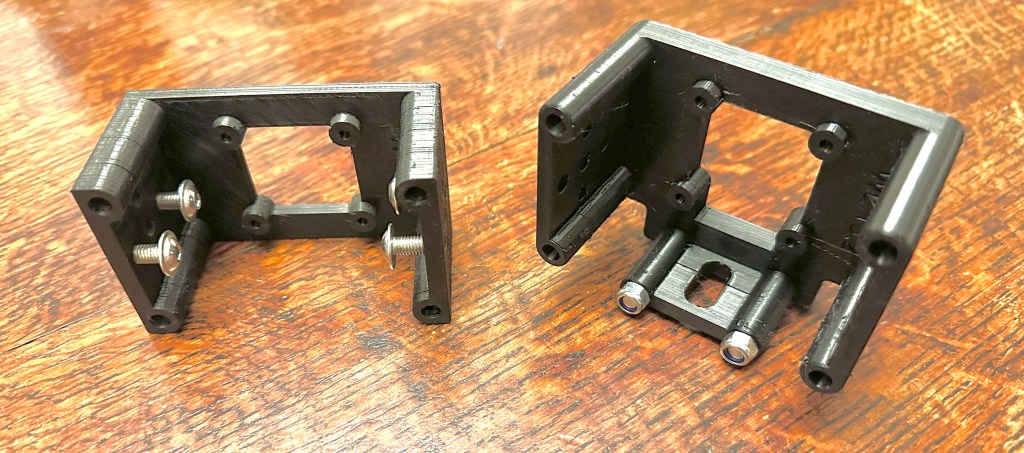
Prototype 3d printed part. This is a twin camera cradle idea. When connected to a Raspberry Pi 5 the telescope could support 2 cameras, each one optimised for different purposes.
First version of twin camera cradle. This will need a RPi5, but could run a 16mm lens for targeting/tracking and a separate 50mm lens for observations. (I hope!)
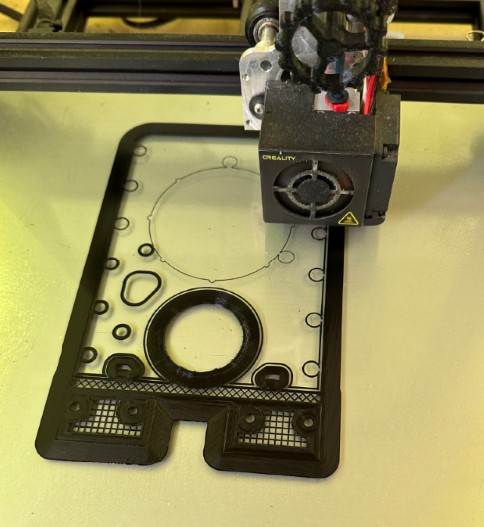
3D printer underway. Printing a new version of the tower walls to make more space inside the dome for more and larger lenses.
Modified design for tower walls under way to make space for the twin camera cradle.

Removing the infrared filter

Finally time to rip that infrared cut-off filter out of a Hi Quality sensor. The official instructions work, it is simple to do. The lens mount comes off the sensor board easily and the IR filter pops out cleanly with gentle push. I have left the sensor exposed, protected only when a lens is attached. I may try to re-cover it with OHP film as suggested as exposed sensors are dust magnets! I put the sensor inside a fresh clean freezer bag to minimise dust when making the mod.

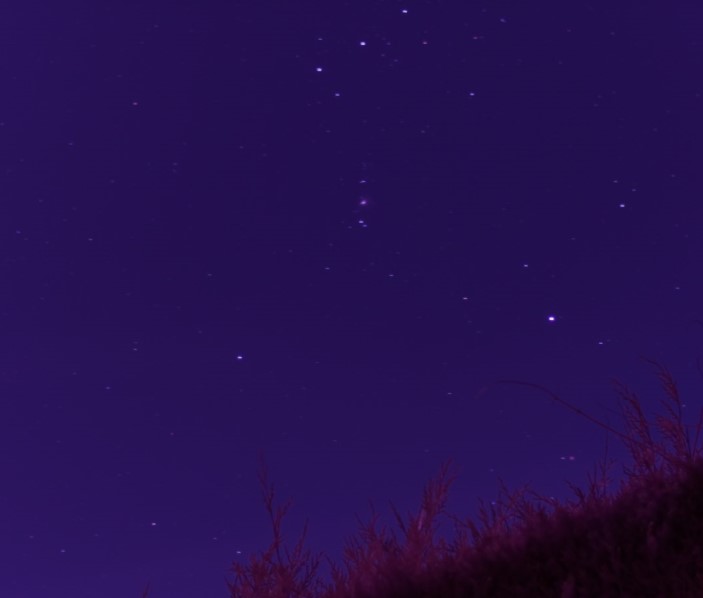
I placed the 16mm telephoto lens on the sensor and stuck it on a tripod just to see what things looked like. Everything has now gone ‘pink’ so SOMETHING has changed anyway!

A very quickly captured image of the sword of Orion. Just moments after removing the infrared filter from a Raspberry Pi Hi Quality sensor. The sky has turned pink, so there is definitely a change in the wavelengths being captured. Just waiting for less moon and less wind to test it properly.
Infra red filter removed from Raspberry Pi Hi Quality sensor. Tripod mounted photo of Orion’s sword with 16mm telephoto lens and moonlit sky. It’s all gone PINK, that must be good right?!?

It’s not clear how wide the HiQ sensor’s infrared sensitivity is, but I think any expansion of wavelengths will be interesting to play with.

Fiddly focusing

I had to refocus the lens when I reattached it, and realised a better way to get it in focus. The focus ring of the 16mm lens is not very precise compared with larger lenses, I’ve always struggled a bit with this. I tried a different approach this time.

I set the lens focus ring fully to ‘FAR’ and locked it off. Then released the screw clamping the sensor mounted rear focus ring. That’s a much finer screw thread, it has a more positive movement, and allows really fine focus adjustment. It is mentioned in the official instructions, but I think it’s the BEST way to focus if you’re being fussy.

With this, the ‘raspistill –focus‘ command trick and some patience you can get quite fine control over the focus. You DO need a monitor connected via the HDMI port though. The preview image does not appear through VNC or puTTY sessions.

As always, it’s best to close the aperture ring a little to increase depth of field. I always reduce it to F2.8 so it’s still bright, you can reduce further if you are having problems.

Light pollution

We sit just outside an expanding town which is switching to LED streetlighting. Light pollution is an increasing problem. I have purchased a simple ‘light pollution‘ filter to add to the 50mm Nikkor lens. I will be testing this as conditions allow, I wonder if it helps, and I hope it doesn’t block infrared!


Other builds

As mentioned earlier, quite a few makes are now underway with the Instructables project. The first ‘I made this‘ post has appeared (well done Jeff!), and from the messages I have seen there are a few nearing completion.

It looks like the most common pain points have been the PCB (see above) and sourcing the motors and worm gear components. Hopefully PCB sourcing is easier now with the published Gerber files. I saw a couple of cases where people shared a PCB order to reduce costs.

For the worm gear, I wonder if a future design could switch to using planetary gearboxes on the Nema17 motors instead. They seem to be more widely available, and can even be purchased as complete units. They may require a rethink of the drive mechanism, I have ideas already.

At least one builder is improving the weatherproofing of the design, that will be exciting to see when it is ready. I think there is a lot to learn from that development if it happens.

There are a couple of really interesting alternative motor controller designs out there too, including alternative ways to power/reset the Tiny2040 as well.


Off the shelf motorcontrollers

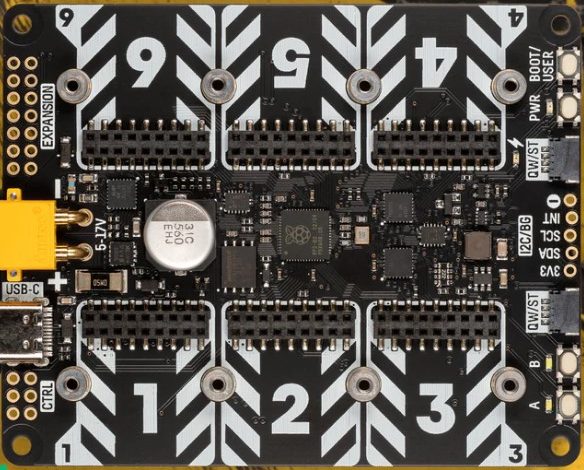
I mentioned in December that I haven’t found a suitable off-the-shelf motor controller board yet. Well, in the tech world, a month is a long time. I recently came across an announcement from Pimoroni about their new YUKON board. The specifications sound interesting. It supports high current stepper motor drivers, has a modular design and an onboard RP2040. There’s a fully featured builders kit available, but you can also buy the bare board and individual driver components. Pimoroni’s website has a couple of overview videos, and there’s an example robot project on Youtube by Kevin McAleer. I’d like to try one of these at some point, IF I find the time. Maybe someone else will give it a try?

Pimoroni's image of their new Yukon robotics board. The specification sounds really useful for telescope control too.
Pimoroni’s website image of their Yukon board. Haven’t tested it yet, but the specification sounds really useful for controlling the telescope motors without having to build your own PCB.

So, quite a bit to test now. Here’s hoping for some clear, calm, dark skies before the winter is over!

December 2023 update

Finally published

So the telescope project is finally out! 50% of the project time seems to have gone into making the instructions. Mainly because life is busier now than during the Pandemic, and partly because of all the lessons learned while making them. Like so much of the project, the instructions included a lot of firsts for me too. A few mistakes have turned up in the build guide, but I’ve always received very kind and positive feedback and corrected any mistakes as quickly as possible. I still need to complete a full ‘bill of material’ list though!

New issues


Feedback from builders has revealed a few issues, I’m expecting more items to appear in the coming weeks as people get the telescopes up and running. What worked for me, may not work for others, we’ll find out what was luck and what was bullet-proof soon! There are so many different ways to build every element of the project that there will ultimately be variations in every model.

PCB design

The PCB has been an unexpectedly interesting part, the build videos included a PCB that I made over a year ago as part of an exercise to learn how to use EasyEDA to design circuits. It included experiments and some development features – and also included a mistake in one of the tracks. But with some careful track sculpting with a Dremmel I got it running.

The circuit for the project is simple, and with hindsight could be even simpler. I understand that it’s more comforting to have a proven circuit board rather than building your own solution. So an immediate side project fired up, a few people were kind enough to offer help to create a proper design for the PCB which could be published. As I type this, I have 2 different prototypes on my desk for testing. If both pass the tests then I’ll add the Gerber Files into the GitHub repository so that people can get their own boards made up too.

I still wonder if there is a suitable commercially produced HAT that would perform the same function. I’ve not found anything yet which has the onboard logic AND powerful enough stepper motor drivers. If one ever appears it would be sensible to rework the project to make use of that. There are similar ideas out there for robotics I suppose, but I’ve not yet found an appropriate specification.

I’m running the Tiny2040 microcontroller on very low voltage, out of an abundance of caution really. When I measured it recently it’s showing about 2.5V across the Tiny2040. Apparently 3.0V is the recommended minimum, but two telescopes have been running nicely on 2.5V for a long time so far. However I’ll revise the component specifications with the new PCB design to increase the voltage a bit, that might increase tolerances for different designs.

3D printing

My humble 3D printer, limited printing skills and multiple design iterations meant that my builds took MONTHS to produce. You can imagine my amazement when people started posting photographs of the telescope structure nearly complete after just a few days! They are all really nice quality prints too. It quickly appeared that at least one of the published STL files was from an older iteration – but it is corrected now. I’m resisting the temptation to evolve the designs further at the moment until a few more people have got the current design up and running. Then I can have more useful insight into areas for improvement.

Simplified kit

One question that appeared quickly was ‘How do I make one if I haven’t got a 3D printer?’. It sounds like sending the STL files to a commercial printing company is too expensive, and probably there are too many parts to make them all at a local maker workshop. At first I thought that would rule out making the telescope completely, but after a couple of conversations I started to think differently about it. The only thing that you really need to get 3D printed is the mechanism. Basically the gears and cogs are useful, everything else can be made from any material you like. So I’m wondering if there’s a side project possible here, a cut down version of JUST the mechanism, maybe 10 parts, slightly redesigned so that they can attach to anything. A drive-only kit would be more manageable to get printed. I’ve not designed anything yet, but if I get another cloudy winter with little observation done it might make a good evening project.

New lens

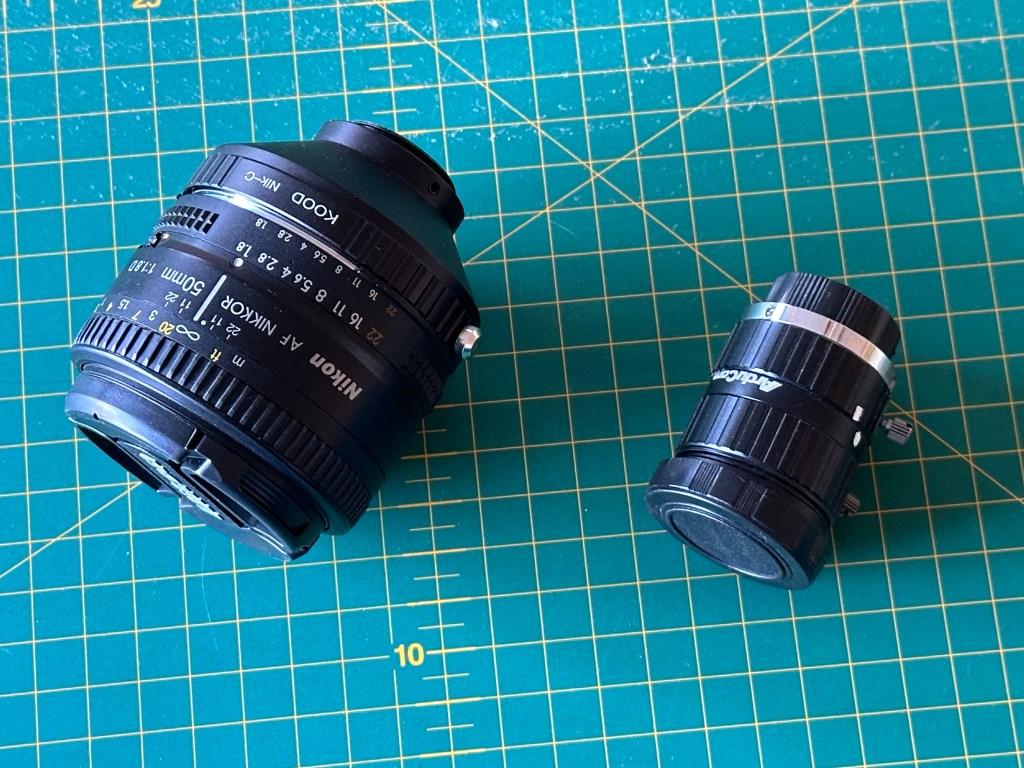
I know that the project began with the question “Can the RPi camera components make a working telescope?”, but of course I’m now chasing better quality. I suspect a lifelong challenge. The telescope works mechanically well with the RPi 16mm lens, but that’s got about 20Degrees field-of-view so things are small. I have been using the 50mm Arducam lens for about a year now and that magnifies much better, about 5Degrees FOV, but the question in my mind now is … are the optics high enough quality?


I’ve noticed that even quite poor images are rescued very well by the stacking software, but I couldn’t help trying a higher quality 50mm lens. So I’ve fitted a Nikon-to-C adaptor and mounted a regular 50mm Nikkor SLR lens to the telescope. I grabbed about 20 frames during a brief unexpected gap in the clouds the other night.


Some immediate thoughts…
Focusing is MUCH easier with an SLR lens. It was quite fiddly with the little C/CS lenses, but the SLR lens was producing crisp star points in minutes.
The camera cradle is JUST big enough to squeeze the 50mm lens in, but the weight of the lens is an issue. I modified the camera cradle to make use of the tripod mount hole at the bottom of the HiQ sensor. That should take the weight of the lens better and reduce the pressure on the rest of the PCB. It’s generally a better design even for the smaller lighter lenses.


It’s raised an unexpected problem though, the new images have a definite CYAN tint to them. Is that a feature of the SLR lens coating? Is it because the image is just more crisp? Is it only in the JPG images or is it in the .DNG raw files too? Experiments and/or other people’s advice is needed here.
I have STILL not been brave enough to take the IR filter off the sensor.

Software

The first few people to start builds have identified some fixes which are in the next software release, I really appreciate their patience while we get all this working easily for everyone. My main focus at present is to improve the problem solving capabilities of the software.
Some examples:

I am adding a feature to help tuning the telescope’s Tracking Function. You have to balance two or three parameters to get it running smoothly, so a tool to help find good values seems sensible.

Debugging communication has been an exercise for everyone, so I’m cleaning up some error messages to make things a little more clear there.

There are a couple of extra ‘version’ messages in the log files now so we can see what versions of components are installed.

Raspberry Pi 5

I could not resist so I ordered one online… and had to wait… meanwhile I was in the Raspberry Pi shop in Cambridge the other day and they had a bunch on the shelves… I very nearly bought another.

The current project is restricted to the ‘Buster’ operating system and the RPi4B. (The RPi3B seems to work too, but is slower.) Both are aging, I fear something critical may one day become unavailable. I already had the problem that the Buster image vanished from the official installer tool about the same time I published the instructions. Luckily there is an archive of all the old versions available. So I need to plan for an updated build eventually.

The RPi5 is sufficiently different architecture that the setup and some functions will need rethinking. But if I can get the telescope working on the RPi5 there are useful new capabilities.

  • libcamera replaces the old raspistill camera handler. I’m hoping that makes handling of the RAW image data simpler. Let’s see.
  • The RPi5 of course is more powerful, which improves performance. Maybe onboard image stacking becomes viable if I can find a LINUX live stacker package somewhere.
  • The RPi5 supports 2 cameras simultaneously. This is very useful. Today the telescope uses a single camera for IMAGES and also for DRIFT TRACKING. In practice a single lens cannot be optimised for both functions, but 2 separate lenses solves that. I think a 16mm lens for the drift-tracking and a 50mm SLR lens for capturing the observations would be great. That may allow different tracking strategies too.

My heart sinks at the thought of fighting through all the package dependencies again, perhaps I should still wait a while for everything to stabilise.

Observing!

Of course the purpose of a telescope is to actually make observations! So I’m really hoping that we have a better winter than last year. So far the forecast has been quite poor, but we’re occasionally getting unexpected clear periods in otherwise total cloud cover. It means you have to keep an eye out for the breaks in the cloud because the forecasts are picking them up. A fully weatherproof telescope would be a real bonus here, then you could grab the brief random opportunities that present themselves. The light pollution has been quite bad around our village too, we’re close to the coast which seems to leave mist in the air, and recent building development is adding to the lighting problems. The need to make this thing fully portable is growing!

November 2023 update

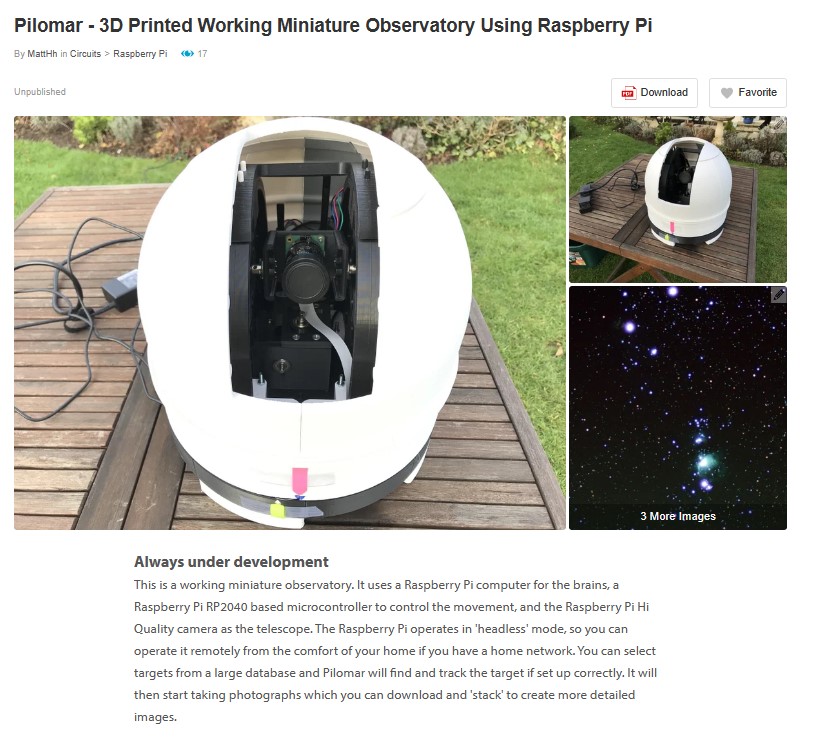
Done! Finally published the telescope project on Instructables.

https://www.instructables.com/Pi-lomar-3D-Printed-Working-Miniature-Observatory-

That took a lot longer than I expected. If you want to really learn something, try to teach it. Writing and recording simple instructions for making the telescope meant revisiting every piece and stage of the project. Of course, there’s always something to improve whenever you look at even the tiniest element of the project.

So the published project is more accurate, more robust and more repeatable than the first version I made quite some time ago now.

If you’re interested in the code for it, that’s available on github.

https://github.com/Short-bus/pilomar

The published code is a simplified version which just focuses on the camera and motors to capture the images. I’ve another copy of the code which is more filled with experiments and development features. If I get a good winter of observations done this year, no doubt some of the new features may make it into the published project too.

There’s a first draft of a manual in the github repository too, it’s a .pdf in the /docs directory. This is for my benefit as well as anyone else!

If you’ve been waiting to see how I built the original telescope that was revealed on X (was Twitter) a couple of years ago then this Instructables project is the place to look.

What next?

I’ve a list of possible developments to make which I think will now roll forward into a ground-up rebuild for a slightly larger system.

The new Raspberry Pi 5 minicomputer supports 2 cameras now, that’s really useful in this project. I can have 1 camera dedicated to tracking while the other is dedicated to capturing the images for stacking. The two cameras can use different lenses too, so tracking can be wide-angle – which works best, and the ‘light’ image capture camera can be longer focal length.

The next version needs to be more portable. It’s possible to run the current one out in the field if you have enough extra bits of kit, but it could be vastly simplified.

I don’t know if it’s practicable to make it properly weatherproof, but I’d like to investigate that a little more too. I suspect the complexity and cost may kill this option, but it would be great if it could sit out permanently to make most use of the occasional observation opportunities that the cloudy UK provides.

I experimented with live stacking of the images a while back, although I got close, it wasn’t a perfect solution. However as the Raspberry Pi power increases it may be possible to implement one of the open-source live-stackers directly on the RPi and just feed images directly into it.

There were several dependencies in the project which restricted me to a legacy Raspbian OS, and most of the packages it uses are limited to specific versions. With the RPi 5 it would be time to upgrade to the latest O/S if I can get all the packages available again. This would also be the time to switch to libcamera and rework the camera handling to streamline it further. There is noticeable time lost in overheads at the moment using the original camera utilities.

I’m trying to decide whether to continue with the ‘remote UI’ that the published telescope works with, or would it be better to rethink that completely. Either a web UI that could be accessed via a smart phone, or perhaps just a small screen and keyboard sitting with the device to keep the complexity down. I don’t like having to rely upon the home wifi network, it causes occasional problems.

It would be great to make the resolution of the motors even finer, but I think I have to completely rethink the design for that. It probably needs a few experiments to decide which way to go with that. Switch from gears to belts? Convert from Alt-Az to Polar? Polar adds significant structural complexity I fear – but improves image alignment.

But for now, I’ll just compile a wish-list of new features, and spend the winter using the current telescope as it is.

In fact – I have 2 at the moment. The original one (with some tweaks) and the latest version that I built for the Instructables project page. Hmm…. what to do with TWO running at the same time?

April 2023 update

Build instructions

Life got spectacularly busy over the winter so the build instructions for the telescope are of course behind schedule. But I’ve been chipping away at it.

I’ve made some very amateur build videos which I’m currently editing and getting on to a draft Instructables page for the project.

I’m also slowly digging into GitHub for making the software and installation scripts available publicly.

Rotten weather

It’s been another winter of incredibly cloudy nights, including missing out on some fantastic aurora displays recently. Astronomy really requires some calm acceptance of what the universe throws at you doesn’t it.

When I have been able to work on the project I’ve been testing, testing, testing. In bad weather or daylight it’s hard to capture images of course. The software can simulate basic images if you cannot see through the clouds, that feature was originally just a learning exercise, but it’s proven really useful this year.

Improved tracking

Recently we had a rare incredibly clear and still night, the best I’ve seen in years, but as we are now into spring skies the objects I have been photographing are disappearing into the west. And of course a beautiful full moon was slap bang in the middle of some new potential targets!

Anyway I decided to exercise the tracking features of the telescope on some new areas of the sky, and found a unusual behaviour when I use ‘astroalign’ to detect and correct tracking errors. My attempts to make the tracking easier had actually been confusing it in some circumstances. I am very grateful to Martin Beroiz for his quick response to my question and learned some valuable improvements I can make to my tracking strategy.

Different lenses

In the interests of ‘I wonder what will happen if…’ I also swapped out the 16mm lens for a 50mm lens. This gives a much narrower field of view and takes the telescope to the limit of motor precision. I’m not going to redesign this version, but it’s been a useful exercise to finetune a number of features. If it can work well with the 50mm lens, it should be even more solid with the intended 16mm one. The telescope is still designed for the 16mm lens but this opens up the lens choice a bit.

The first 50mm lens I received had some slack in the mechanism, it took me a few nights to realise why I couldn’t focus it properly and why all the stars looked like comets..but customer service at The Pi Hut was fantastic and I soon had a replacement in hand. Anyway it looks like the telescope works with lenses between 16mm and 50mm. So that’s a range of about 5° to 20° field of view.

Many Messier objects are quite small with the 16mm lens, so longer lenses make more targets viable.

Infrared Filter

I’m still looking for some insight into the benefits of removing the IR filter on the HiQ sensor… I’ve not found any clear confirmation if it’s a real improvement for astrophotography yet. My limited understanding of the documentation suggests that it may not increase detection very far into IR anyway. I think I will wait before hacking the filter off, maybe it’s an experiment for when I retire an earlier build of pilomar that I still occasionally use. (Yes; I have 2 in action. No; I have no idea how to do interferometry with them 😀)

Hardware shortage

The shortage of Raspberry Pis has been a bit of a frustration, I’d like to swap out for a larger memory version but that’s going to have to wait. And maybe now it’s better to wait to see if a RPi 5 comes along one day. Having said that, keeping things running nicely on more modest hardware is good. I wonder if I could still get it running on a PiZero again??? A really stripped down version should still work, I think the working memory used by the OpenCV image arrays may be the challenge.

Other features

I’ve also experimented with some other features and have now decided which ones to keep and which to drop.

Memory cards

During the winter under heavy testing I noticed that the RPi 4 at the heart of the telescope suddenly slowed down significantly. After investigation I figured that the SD memory card was struggling, having saved/processed/deleted a great many thousands of images the card was starting to fragment or corrupt in some way. The SD card is the only storage for everything on the telescope. A simple solution is a quick rebuild of pilomar on a new SD card, but I guess this problem will keep occurring in heavy use. So the software now supports USB memory sticks as alternate storage. If found at startup pilomar will save images to the memory stick instead. If there is no memory stick, it stores everything on the SD card as before. The advantage is that the USB memory can be much larger so you can gather more images before offloading for stacking, AND you can now transfer images to other computers for processing by simply moving the USB stick across. The plug’n’play support feels a little shaky especially if you are running headlessly, but it seems to work reliably for me so far.

Live image stacking

I played with live stacking of the images too! I thought it would be too complex for my limited understanding but decided to give it a go anyway and see what I learned. It has some potential, I got closer than I expected to a working solution, but have decided to drop that feature for now too. Live stacking would be very interactive, but using a dedicated image stacker offline gives better results. So that experiment is going in the bin too.

Lens distortion

I studied lens distortion a bit as part of the livestacking experiment. The 50mm lens has very little in practice, but there is noticeable distortion at the edges of 16mm images. But the distortion was not generally enough to justify extra complexity yet. Dealing with it may enable some other features further down the road, but nothing serious at this point. So that’s going in the bin. It may return if I go back to live image stacking one day.

Observing conditions

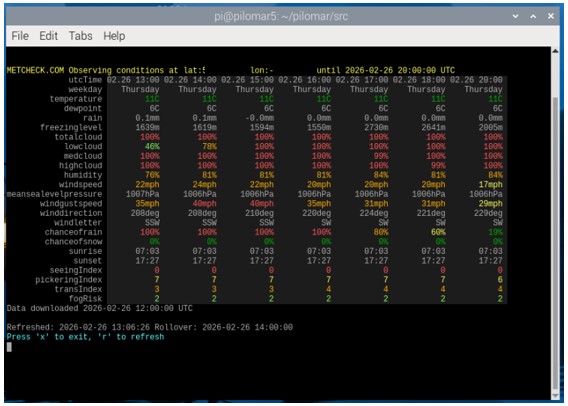
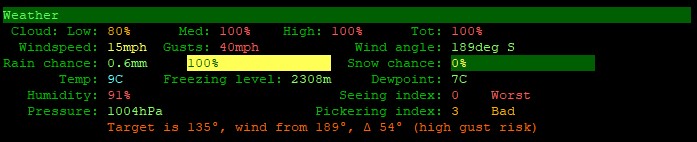
As a result of the poor observing conditions recently I also added a weather monitoring feature. When you are sitting inside and the telescope is outside, it’s handy to know roughly how the conditions are developing. I use the API from metcheck.com The telescope is not measuring local conditions directly, but using hourly forecast data from Metcheck. There’s almost too much data available there, but it’s useful for planning and monitoring observations; so it’s going into the official version.

Metcheck.com provide a JSON API for various sets of weather data, including an astronomy biased dataset. I’ve found it really useful. Here’s an example for Aberdeen.

Quality control of images

I have wondered about detecting clouds in images so that they can be removed automatically, but haven’t solved that yet. However the software will now detect meteor/satellite/aircraft trails using some OpenCV line detection routines. That’s staying in the software. It’s useful to ignore unwanted images with trails, and also to spot meteors if you’re just capturing a meteor shower!

User interface

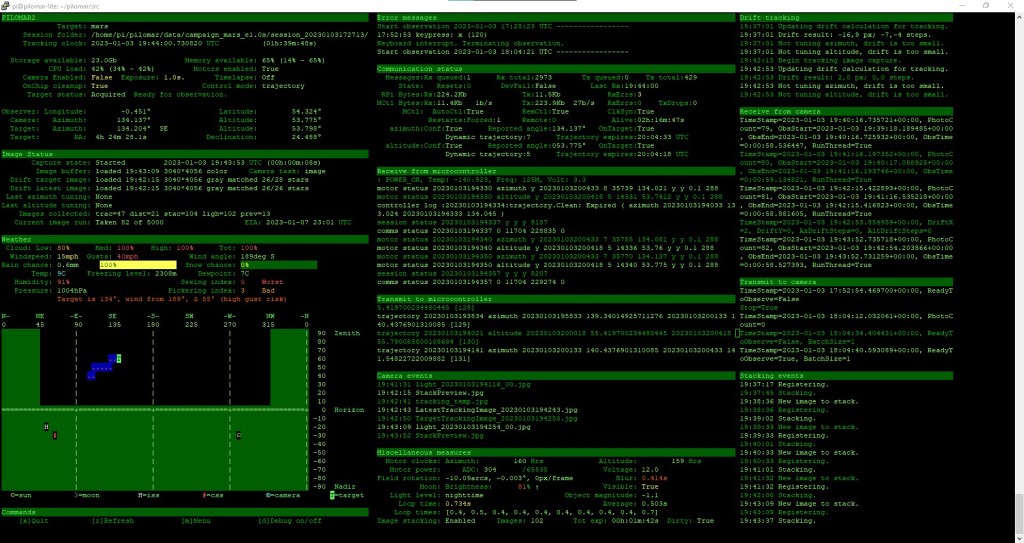
Pilomar currently uses a simple character based UI. The observation dashboard uses a small home grown character library that I made for other projects. There are several other UI frameworks available but so far I’ve considered that quite low priority to integrate.

I recently experimented with adding a simple web interface. It would be great to operate it directly from a mobile phone for example. I got a simple live feed of the latest image onto my phone, but it’s quite a ‘can of worms’ to make it really slick! I think at the moment it’s still too big a distraction and potentially better left for a full rewrite of the software sometime, so the software remains as ‘character based’ only for now. A web interface may be useful if I ever convert the telescope to being fully mobile… maybe running it all off a 12V car battery so I can get to remote dark skies. The current UI has some basic flexibility for terminal window sizes anyway, so could be run on smaller devices through a terminal emulator I guess. Need to try it.

Finally

So that’s it, been a busy software development winter, with very few chances to make observations. But I’m on the final push now to get the build instructions published. Nearly there!

September 2022 Update

It’s almost a year since I posted an update, so I thought something was due. I spent winter 2021/2022 using the Pi-lomar telescope, then used the lessons learned to make further refinements.

The main changes have been with the software, a few months of real life usage always reveals bugs and improvement areas. Of course there are also new ideas to explore too.

The brain

  • Raspberry Pi V4 (still)
  • A new O/S version is available based upon Debian V11 – Bullseye
  • I tried to build a new version based upon this, but found several showstoppers at my level of experience. The camera system has changed, and several of the packages that Pi-lomar depends upon are not yet happy in the new O/S. So at the moment I’m restricted to the previous Debian V10 – Buster build. The new camera support in Bullseye is really interesting, but will have to wait until I can get the basic functionality working.
  • I’ve done some work to simplify the build script on the Buster build as that’s now obviously stable and the very latest release seemed to simplify the build requirements a lot.

The muscles

  • The motor control has proven quite a challenge to get to a level I’m happy with. But finally it seems I’ve moved forward here.
  • Originally I drove the motors (via drivers) directly from the RPi itself. But a linux O/S is not ideal for realtime motor control. So a long project began to introduce a microcontroller to handle the motor control. I started with the Raspberry Pi Pico using the RP2040 chip. Oh boy! Did I have problems here. No matter how simple the task or how I chose to power it I had problems with random resets. I got through 4 of these boards before trying something else. I switched to the lovely Adafruit Feather RP2040 but had similar problems. I switched again to the great little Pimoroni Tiny2040 and the problems vanished, but I had fewer GPIO pins to work with, so some reworking of the CircuitPython code was needed.
  • The first ‘wiring’ of Pi-lomar was originally a real ad-hoc construction directly off the RPi GPIO header. It worked but looked crazy.
  • The second version with the flaky microcontroller first attempts was a little neater using a prototyping board.
  • When I switched to the Pimoroni Tiny2040 I also played with designing a custom circuitboard for it. A friend recommended trying EasyEDA as an online designer. After a few weeks learning that and playing with options I had a design that I figured was worth trying. I cannot overstate how impressed I was with the process to convert my amateur thoughts into an actual circuitboard.
  • I downloaded the ‘Gerber files’ from EasyEDA, sent them to PCBWay, and less than a week later had 5 bare boards on my desk. Manufactured and shipped from China to the UK in under 7 days. Amazing.
  • I’m building a 2nd copy of the telescope now to use for the construction video and it will incorporate this new board hopefully.
  • Anyway I have a CircuitPython routine now which will run nicely on a microcontroller and can handle motor movement independently of the RPi. The RPi can now just concentrate upon high level activities. User interaction, Planning and photographing things.

The software

  • The software on the RPi is still Python 3 based.
  • I’ve produced two versions now. Pilomar-lite – which I intend to publish, and Pilomar2 which has more functionality, but is also a playground for new experiments.
  • Both versions are ‘amateur’ builds, they could certainly be written more cleanly, but I’ve favoured functionality over beauty here.

Pilomar-Lite

This has all the functionality that the original version of Pi-Lomar had, with many bugs ironed out. It seems to work quite reliably, but hasn’t been tested by anyone else yet. That’s always a more thorough test!

Pilomar2

This has several extra experiments, most of which will probably die eventually, but some may prove useful. I’m currently trying to teach it to detect and compensate for lens distortion. There are some well established ways to do this using OpenCV, but they all require some extra steps and may prove complex to do in practice. So I’m playing with the idea that the telescope can gradually learn the distortion itself from actual observations and build its own compensation solution…. the telescope works fine without this, but I want to be able to analyse a captured photograph and identify the actual objects in it more accurately in the future. If I get it to work, then other projects are possible. It may also help me to get the ‘image stacking’ working in realtime on the RPi directly one day. Image stacking is still done offline on a separate PC by downloading the individual images captured by Pi-Lomar.

Build instructions

A couple of people have shown interest in getting build instructions for the telescope. I must admit I thought this would be simple to do, but haven’t come up with a quick, clear and easy way to do the whole cake yet. I’m currently tackling this a couple of ways.

For the RPi build and software installation, I’m simplifying as much as possible what needs to be done.

The 3D printing files (.stl files) have been refined, and are pretty much ready to download, the V2 build will also verify that everything still goes together properly. And of course refreshes my memory of how I made the first one 🙂

For the physical telescope build I realised that writing a manual is quite tricky to do, I’m clearly not as good as IKEA at this! So I’m currently considering just making some simple videos to show the construction process. That’s faster to make, and faster to view … I hope!

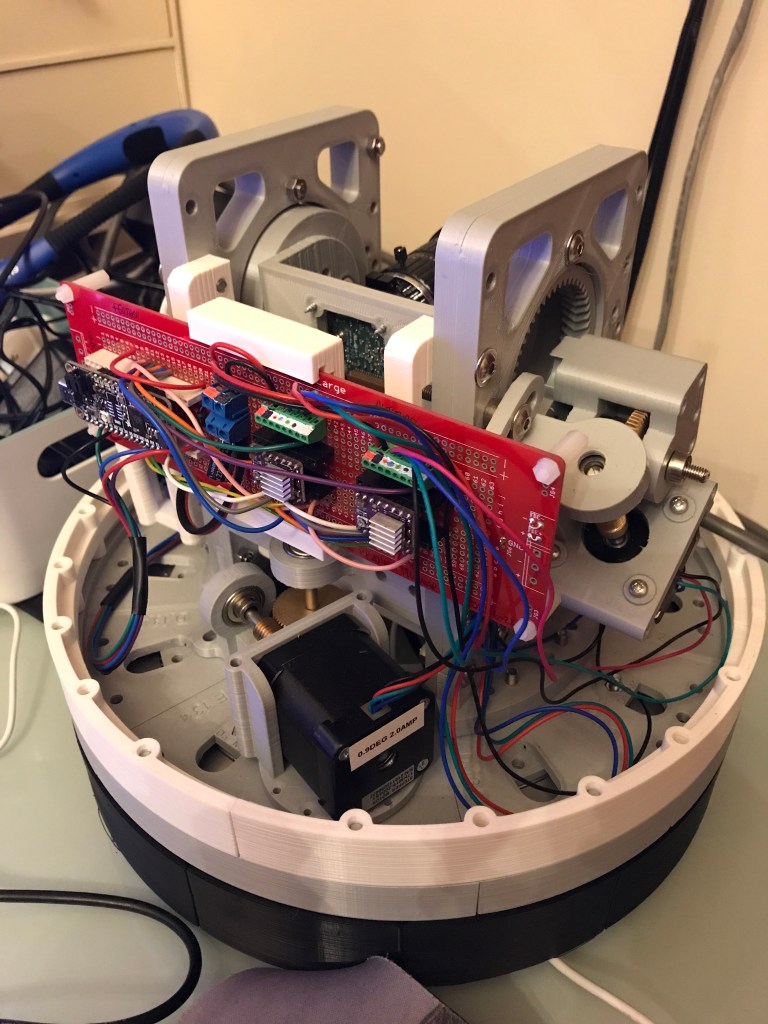
A simulation of the motor driver board. Home to a Pimoroni Tiny2040 to handle the DRV8825 motor driver chips.
… and an actual one…

October – Stars at last!

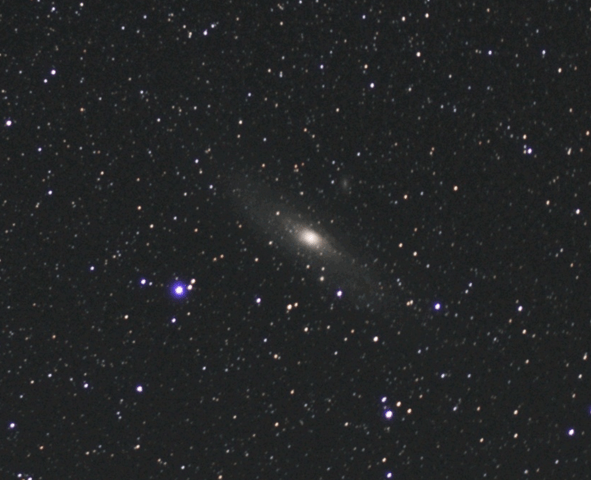
Darker nights and a few clear skies have appeared again. So I finally have some opportunities to see how well the summer’s development work has succeeded. Compare the very first photo I captured a year ago using the 1st version of the telescope with the latest V2 mechanism last night.

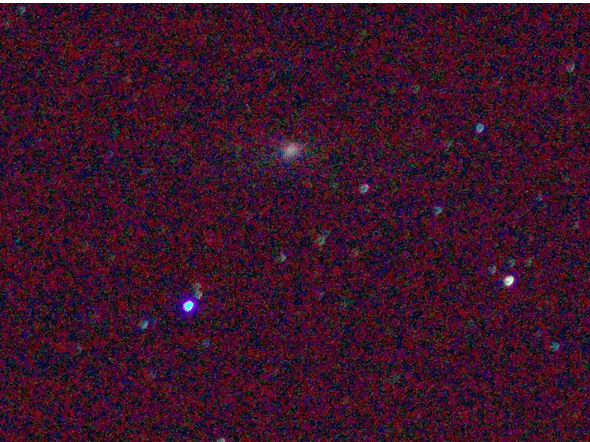
Andromeda Galaxy. Yes really! 🙂 It you look very hard and use your imagination. This was the first image taken with the 1st version of the mini observatory.

The original has a slight smudge where the Andromeda Galaxy should be, lots of raw signal noise and some out of focus stars. At the time I was delighted because at least I’d FOUND the right part of the sky and managed to capture a couple of stars.

Last night’s image is starting to look more promising…

Andromeda Galaxy a year later. One of the smaller satellite galaxies is also visible just above it.

I’m happier with this 2nd image, its showing some progress, although I think it can be improved further.

As usual, every observation session uncovers new issues, and provides more ideas for improvement. This week’s list is to look at making the altitude movement smoother (there’s some slippage at a certain angle), and to debug the image tracking (I think I’ve introduced some glitches during the summer’s development work).

Pilomar September ’21 update

It’s been a very poor summer for astronomical observations around here this year. We’ve had very few truly clear skies until just the last couple of weeks. I’ve heard similar comments on some of the forums too. Fingers crossed it improves for us all now that the darker nights are here.

So during the year I’ve been concentrating upon improving the design of the Pilomar assembly. I’ve reworked the internal mechanism, and the electronics to iron out several limitations that became apparent in the first version. The most obvious limitations were :-

  • The bearing mechanism was slightly rough, causing the motors to slip occasionally. This could cause position errors. It also had a limited range of movement (180degrees azimuth range, East-South-West)
  • The Raspberry Pi was responsible for both taking the photographs and moving the motors. Linux isn’t ideal for realtime motor control, and sure enough it was proving difficult to take long exposures and keep the telescope moving smoothly.
  • The precision of the original version was 66 positions per degree. This was on the limit of the resolution of a pixel, causing some blurring on even short exposures.
  • It was quickly apparent that the deep-sky objects that I wanted to photograph were going to require longer exposures than I could reliably achieve.

So version 2 was born. I’ve reworked the bearings to allow more complete and smoother movement. The motor control is now performed by a separate microcontroller (Adafruit’s Feather RP2040). I didn’t want to include a microcontroller originally, it felt too complex, but it turned out to be the most direct way to overcome the Linux limitations. So I had a crash-course in microcontrollers and CircuitPython. In fact several crash courses! It took far longer than I hoped to get a working solution. The azimuth and altitude gearing has been reworked to provide 266 positions per degree, well within the tolerance of the camera to keep blurring to a minimum. The main Python program has also been extensively reworked to improve reliability and ease of use.

I can already think of things for Version 3! But this type of project never ends I guess.

Just this week while checking for an ISS pass I noticed that the sky was remarkably clear for the first time in many months, so rushed out the incomplete V2 to give it an initial real-life test.

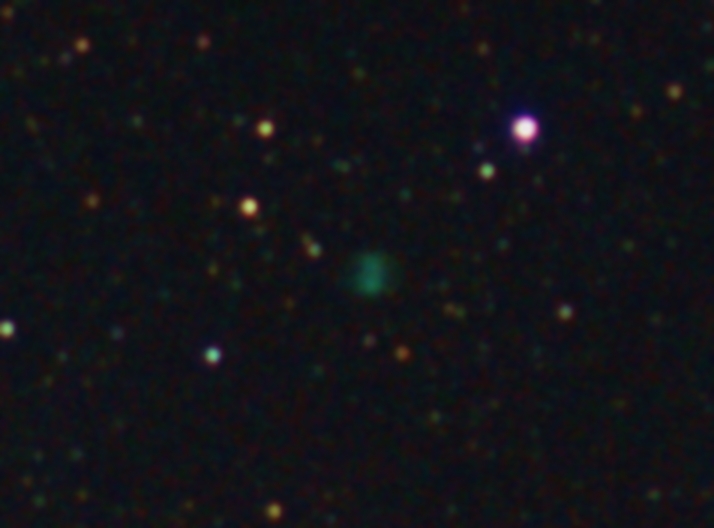
The choice of observation target was a little limited, but I chose something challenging. The M27 Dumbbell Nebula. That’s a smaller and fainter target than the Orion Nebula that I captured in February. I had low hopes for any success on a first attempt. Just 11 images (20 seconds each) were captured before the clouds came in, and I have not yet properly focused the lens. But was delighted to see a tiny ‘hint’ of the nebula in the very first batch of images I captured. At this point the important fact is that it managed to track DURING long exposures and no star trails!

So I’m hoping for a few more clear nights so that I can fine tune things further. And also complete printing the DOME ! It’s naked at the moment.

Achieving ultra-crisp focus with the little RPi Hi Quality Camera 16mm lens is a real challenge. I’m currently investigating ‘Bahtinov Masks’ that are used to help focus larger telescopes. It’s proving fiddly to scale down to the size of a small lens, but experiments continue!

Pi-lomar

Pilomar overview

Preface

As a kid I was fascinated by the (then) large telescopes at observatories such as Mount Palomar, and now even they seem modest compared with the plans for the newer even larger telescopes appearing around the world. In 2012 when the Raspberry Pi was launched with its little V1 camera I wondered if it would be possible to do ANY useful astronomy with something so tiny. I followed some online instructions and built a little ‘Aurora Alarm’ for fun, then went no further until the Covid19 pandemic brought much of normal life to a standstill.

What to do with all this extra project time? I tinkered a little with stepper motors and working out how to drive them from Python on a Raspberry Pi Zero. The Raspberry Pi Foundation recently launched the Hi Quality Camera and a more powerful lens to go with it. What to do with a nice compact camera and my little routine for driving some stepper motors?

The main driver was to have fun learning … I just wanted to tinker and see where I ended up. The objective was to see how simple and small an astronomical device I could make on a slim budget. In practice there have been 12 iterations of Pi-lomar so far. V1 was a block of wood with a couple of tiny motors in it. Then it was adjusted with some simple improvements, tested, and improved again… Now a year later I am praying for some clear skies because I seem to have something roughly working! Though let’s call it a ‘proof of concept’ …. Tinkering never finishes.

But that tinkering has taught me some basic skills with Fusion360, 3D printing, Python, gears, bearings, and dusted off decades old lessons in trigonometry, astronomy and simple electronics.
Making stuff is great! Though I’m still terrible at all of the above…

During the pandemic in the UK, the phrase “Do it badly” has been popular. It doesn’t matter that it’s not perfect, just do SOMETHING! So this is what I’ve done so far; badly…

@Short_Bus_

24.Feb.2021
(Revised Mar.2021)

What is Pi-lomar?

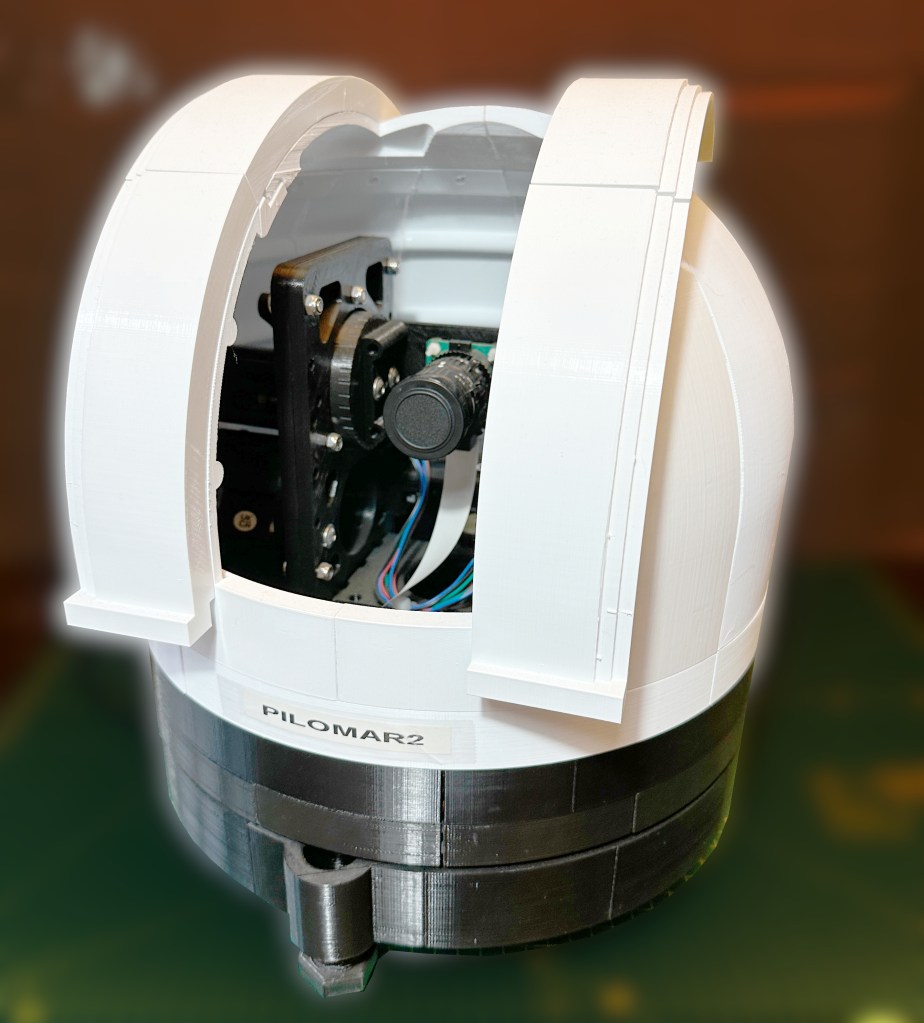
It is a Linux controlled camera pretending to be a telescope. The camera sits on a couple of stepper motors that can move it to point in any direction I choose. Then it just takes photographs!

Let’s pick that apart…

The Linux controller is a Raspberry Pi 4 with 2GB of memory. It’s running a home-grown Python 3 routine that coordinates the motor and camera activities.
The camera is the Raspberry Pi Hi Quality camera with the recommended 16mm telephoto lens attached.
The stepper motors are 12V NEMA 17 0.9degree motors. They can move to 400 different positions in a circle. The motors are connected to a 1:60 ratio Worm Gear, giving 400*60 = 24000 positions that I can point each axis in. So the positioning can be given to 0.015 degree precision (in theory!) The motors are controlled from GPIO pins on the Raspberry Pi via a couple of DRV8825 stepper motor driver chips. The DRV8825 chip is a great way to convert the RPi GPIO signals into the 12V pulses that the motors need to move and hold their position.

The whole thing sits in a technically unnecessary and probably too heavy 3D printed body that looks a little like the observatories that fascinated me as a kid, but I like it, so it’s staying J Can you guess which observatory inspired the look?

How is the body made?

The body is made on a 3D printer, using PLA plastic. (I actually use Technology Outlet PLA-Plus) There are quite a few components that need to be printed and assembled. It takes quite a long time to print them all, this cannot be printed in a single weekend unless you have a very impressive printer farm.

The mechanical parts, bearings, bolts, gears, shafts etc are all budget items sourced online. They are not free, but can be purchased a little at a time without breaking the bank. A slow 3D printer is your budgeting friend here J

How does Pi-lomar operate?

The python routine is simple in concept, it only looks complicated and messy because I wrote it. I learned very quickly that the combination of Raspberry Pi, Linux and Python gives access to an enormous library of pre-existing software solutions. Generally when you are writing in Python you are just combining other people’s generous hard work in a new way.

At the high level, the program asks for a target (a planet, a star or a nebula), then it points the camera at the object and takes a photo. It keeps moving the camera to follow the target, and keeps taking photos until it drops below the horizon or you have enough photographs.

The night sky is quite dark, so you need to take a slow photograph to capture most things. Just a few seconds exposure with default settings will show you something, maybe some of the brighter stars and planets, maybe even the faint smudge of a galaxy or nebula. But if you take LOTS of photographs the right way you can use some other magical software that combines all those photographs to produce a single higher quality and more detailed image. I have not worked out how to get the Raspberry Pi to do this ‘stacking’ yet, but it can gather and prepare the photos so that they can be stacked on another computer. Pi-lomar gathers and prepares photographs so that they can be passed to a regular Windows PC running astrophotography stacking software. I use DeepSkyStacker. There are many alternatives out there.

How does Pi-lomar know where to look?

There is a wonderful astro library called skyfield_py developed by Brandon Rhodes. It performs very useful calculations very efficiently and with an accuracy that I can only dream of. If you want to know where the moon is right now? Ask Skyfield. If you want to know when Mars will rise? Ask Skyfield. If you help it a bit, it can even calculate satellites and comets. It also takes into account the distortion of the atmosphere and that fact the light from the object does not arrive instantaneously, so you look in the right place.

It is trivial to convert the ALTITUDE and AZIMUTH of an object from Skyfield into the position of the two motors.

How does Pi-lomar take the photographs?

For speed and simplicity in development Pi-lomar just uses the ‘raspistill’ command to take a photograph. This is a useful utility, and has a lot of options that let you control how the photograph is captured. It is not the most efficient way to capture the photographs, but WORKING AND SLOW is better than BROKEN BUT FAST. I will eventually speed this up, I am sure.

Normally we save pictures as JPG, PNG or TIFF format images. But these formats all involve a lot of processing of the raw image that the sensor actually captured. Astrophotography stacking software often works wonders with that original RAW sensor data. The stacking software knows how to handle the messy raw information from the camera sensor to pull out details that would otherwise be lost. So raspistill is used to capture this RAW sensor data. It’s a little bit of a messy process, I would love to see this simplified! But by passing the captured images through another routine called PyDNG we can extract the original raw data from the sensor and save that ready for the stacking software.

The ultimate output of the camera is a folder full of .DNG (“digital negative”) files which look awful to us, but are full of information to the stacking software.

The stacking software also requires some ‘control’ photographs to be taken which help it identify noise and faults in the camera sensor. Pi-lomar will also let me take these, and store them along with the actual astro photographs.

Load all those photographs into DeepSkyStacker (or similar) and let it work its magic. After stacking I usually adjust some image settings for clarity, then save it. I can further tweak them in GIMP or some other image package.

How does Pi-lomar know where it is pointing?

It doesn’t! I could have position sensors of some type that would tell physically where the camera is pointing. But this is a low budget project, AND I wanted to keep the complexity low. So Pi-lomar operates by ‘dead reckoning’ It moves the motors based upon where it THINKS it is pointing. It has logic to ‘remember’ what position it has requested, and this works quite well. But sometimes there may be timing or friction problems and the a motor step may be missed. Remember the camera moves 0.015degrees per step so a single mistake is not significant, but it has to make a LOT of steps in order to move any significant distance.

The two major causes of error I have seen are ‘timing’ issues with the control signals, LINUX is NOT perfect for motor control, it can unexpectedly pause to do other tasks outside your control. This might cause poorly formed move signals. There is also some friction in the entire device, the observatory dome is as heavy as the underlying bearing can handle, sometimes it may not move as smoothly as hoped, there is also some ‘slack’ in the gearing, if the platform changes direction it might take a few extra steps to recover motion properly in the new direction. (I’m currently trying to improve the gearing and the control of the motors to make things smoother.)

Sounds awful, can it be solved? Skyfield to the rescue again. Skyfield tells where the target is, but it can also tell where neighbouring stars are. The 16mm lens has quite a wide field of view (about 20degrees), so even quite large position errors probably still see SOME of the expected stars. With help from Skyfield (and OpenCV) I create a simulated image of the sky. The REAL and SIMULATED images can be compared to check for errors. Another fantastic library called astroalign will even do the comparison for you! Given two images astroalign tells how they differ. I convert that difference into ‘tuning’ instructions for the motor. In effect Pi-lomar can roughly auto-correct itself using this astroalign check periodically detect movement errors.

Astroalign will probably be useful again if I manage to take the final image stacking on-board the RPi someday too. The tracking is not fast or 100% accurate, but again the wide field of view allows us some flexibility here, so it’s certainly good enough for this project.

What software components does Pi-lomar use?

This is what I include in my build script at the moment hopefully some can be cleaned out eventually.

  • First I thoroughly recommend that you install the full Raspian operating system, including the desktop support and standard applications. Pi-Lomar is designed to run over an SSH connection with a terminal interface at present but I found many dependencies needed adding back in if you try to run Pi-lomar on the more basic ‘headless’ installation.
  • Skyfield_pi. (For astronomical calculations.)
  • OpenCV (for image generation and processing the captured images.)
  • PyDNG (for stripping out the RAW sensor data from the camera.)
  • Raspistill (should be already part of the basic operating system installation)
  • Python3 (components didn’t play nicely together in the Python2 environment.)
  • Numpy 1.16.5 or later (and potentially matplotlib behind the scenes)
  • Pandas (Data analysis library)
  • Astroalign (calculates alignment differences between images)
  • And a whole bunch of other dependencies gradually appeared during development.
    • Scikit-image, libwebp-dev, libtiff5, libopenjp2-7-dev, libjasper-dev, libqtgui4, libqt4-test, libhdf5-dev, imutils, libilmbase23, libopenexr-dev, libavcodec-dev, libavformat-dev, libswscale-dev, libv4l-dev, libatlas-base-dev

NOTE: Already by March 2021, the dependency list was different and more complex when I tried to build a 2nd RPi to develop the next version. As all packages develop it is a constant risk that some version conflicts are created. Patience is required here!

  • Then on the PC. An astrophotography stacker (DeepSkyStacker or similar) and an image editing program (Gimp or similar). Also a good SFTP tool is handy, there are a LOT of images to transfer if you have a good observation night!

Current challenges

  • Friction was originally a worrying issue. The main bearing for Pi-lomar is a budget Lazy-Susan bearing from E-Bay! A high quality industrial bearing of the same size would be at least 10 times the price. I’m using computing power to overcome the limitations at the moment, but I have ideas how to physically improve things in the next version without adding expensive components into the design.
  • Accessing the RAW data from the camera sensor is not pretty. I would love to see this improved. If I can find a simpler pipeline I think even some stacking and processing of the images could be handled onboard in realtime. Not sure how yet, but that’s the dream. I’ll probably convert from raspistill to picamera or libcamera eventually.
  • Very long exposures. The Hi Quality camera will support exposure times of 200seconds. I’m currently only using much shorter times, 200 seconds requires good tracking precision and separating the motion and camera functionality into separate threads. At time of writing, this is my focus. That might force fundamental changes across the project still…
  • Weight! The body is quite heavy, even for a 3D printed item, this increases friction and demands stronger motors and reduces speed! Early versions of Pi-lomar were small and light, they could keep up with an ISS overhead pass, the current versions don’t. A weight loss program is required for future versions. However weight also gives stability, it’s a fine balance!
  • Electronics. I need to refine the home-made ‘hat’ for the Raspberry Pi which would simplify the wiring connections within the device. You can survive with breadboard wiring at first, but it’s not very robust in the long term. There are some issues to overcome with signal noise on some of the GPIO pins before they are initialised. These can disturb the motors, so currently there is a very specific startup sequence to follow! I want to resolve this so that it’s simpler ON/OFF. (Currently experimenting with the new Raspberry Pi Pico microcontroller here)
  • I would love a deeper understanding of the skyfield_py library. I’m pretty sure that it can do some of the calculations I’ve struggled with, but I’m not confident enough with it.
  • The lens is not the same quality that you would get with traditional SLR camera lenses. The sensor will take larger lenses, but they will add to the weight and may require a redesign of the gearbox too. However it’s clear that the design would adapt to take other lenses of higher quality and power. The 16mm lens is also difficult to get perfectly crisp. In daylight you can get a fine focus on images, but for astro photographs it’s very fiddly to get it REALLY crisp. I am experimenting with a small 3D printed Bahtinov Mask to see if that will help with this. It’s possible that the motors may generate some vibration too, but I’m not sure yet. If I stick to the original concept of ‘cheap astronomy’ then fitting larger lenses is not in the spirit of the project at the moment.
  • Axis alignment. For very long exposure photographs the structure needs to be converted to a ‘Polar aligned’ mount. This will reduce the rotation of images as the sky passes overhead and allow more precise alignment of them as they are combined. It will also simplify the motor control for tracking, but introduce a new challenge to keep the dome opening aligned. The principle is simple, but I have to redesign quite a bit of the structure and rethink the drive system. That may be 2 versions further ahead J
  • Weatherproofing. The dome provides quite good protection from dew forming on cold nights, there is some heat given off by a RPi 4 and the stepper motors. It seems to keep the interior of Pi-Lomar above the dewpoint. But it is definitely NOT weatherproof. Ultimately I would like to design a properly weatherproof housing that will allow the telescope to be mounted outside permanently. Then I can combine it with the aurora alarm I made years ago and automatically photograph the aurora too if it ever appears here.

Next steps

Pi-lomar is ‘just’ freshly working. I’m only now satisfied that something useful is achievable. I have quite a lot of finetuning and experimentation to do. I need to find the limits of quality and precision still. As a result the current software is full of ‘debugging’, ‘logging’ and ‘experiments’. I am still discovering new Python features and libraries to improve or simplify the solution. As every programmer says every day… “this needs a complete rewrite” – – must….. resist……

I suspect that there is at least one more design of the body to go through, which will have the polar aligned mount, reduced weight, reduced friction and better motor control, that may take some time to finalise and has to wait until ‘observing season’ is out of the way.

It would be very easy to increase complexity and cost in order to improve quality further. Costly motor controllers, expensive bearings, more processing power…. But they are not the target. The idea is ‘cheap astronomy’. I want to take interesting photographs, not design the perfect telescope in THIS project.

Where are the designs published?

I’ve not published them yet, I’m currently checking the limitations and reliability, and ensuring that it can photograph enough items to be useful. I’m hoping to refine a new Pi-Lomar body based upon those lessons, then I’ll publish a cleaned up example program and the STL files for the 3D printing. Then smarter people than me can improve it further! That means learning how to use something like GitHub too I suppose J

I cannot wait. How do I start anyway?

I bet you could build something out of cardboard if you are in a hurry! You don’t need anything clever to get started. The key to everything is learning how skyfield_py library works on a RPi. You can achieve a lot if you can just point a camera at something in the sky and take a photograph with raspistill! Everything else, including connecting to the stepper motors is described online.

Lessons learned

  • If you find yourself writing complicated tasks in Python. STOP! Spend a couple of days searching and you will usually find a far superior solution already exists as a library that you can import.
  • Script everything. You WILL make mistakes, want to start again, if you are really lucky you’ll probably even blow stuff up sometimes. A complicated project is impossible to remember in detail, so make sure that you can BUILD your solution from scratch in scripts. Maybe even build it into the program itself, every time you run it, the program first checks that everything’s OK. Folders exist, access rights work, modules are installed (Python will do that last bit spectacularly anyway! J)
    Be prepared that even your carefully constructed build script will break anyway, dependencies change as packages update.
  • If you REALLY cannot find the fault in your software, check the hardware! I recently lost a few days trying to debug comms problems, only to ultimately find that there was a faulty board.
  • Don’t care about performance at first. Care about functionality. If the functionality is right, performance can be chased afterwards. If your idea doesn’t work at all, its better to find out early. When combining lots of libraries, there are many combinations that ‘eventually’ don’t work. You may get a long way into a solution before hitting a problem. It is horrible when it happens, but it DOES happen so have the energy to try a new path instead! Your software will NEVER be perfect, aim instead for WORKING!
  • DO IT BADLY
VERY early prototype… learning how to control simple stepper motors with a Raspberry Pi Zero.
Bigger Raspberry Pi, stronger motors and camera tests
Developing the dome body and internal structure
Designing the components for 3D printing